
Back to Blog
Most tourists visiting the US get online through some mix of free Wi-Fi at hotels and cafes, a prepaid SIM bought at a pharmacy or big-box store with no ID required, or a data-only eSIM installed before departure. If your phone is an iPhone 14 or newer bought in the US, that choice narrows on its own: it has no physical SIM tray at all, so a prepaid SIM card is off the table unless you buy a new phone. This guide stays at the planning level, what's actually available, how much data a typical trip needs, and where coverage holds up. If you've already decided you want an eSIM and want a carrier-by-carrier comparison of AT&T, T-Mobile, and Verizon, our full USA eSIM guide covers that in depth; this one is about the broader decision first.
Free Wi-Fi is genuinely widespread. Most hotels and hostels include it, major airports like JFK, LAX, and O'Hare offer free access often with just an email sign-up, and chains like Starbucks and McDonald's are reliable fallbacks in almost any city. The National Park Service even lists specific visitor centers and facilities with public Wi-Fi, from Abraham Lincoln Birthplace in Kentucky to Martin Luther King Jr. National Historical Park in Georgia (National Park Service). The catch is consistency: speeds vary at peak hours, and it disappears the moment you're between stops, so it works best as a backup rather than your only plan.
A physical prepaid SIM is easy to find at Walmart, Target, 7-Eleven, Best Buy, CVS, or nearly any gas station, and, unlike many countries, the US has no federal or state law requiring ID to buy one. A 2010 push in Congress to mandate identity verification for prepaid wireless devices never became law, and multiple current legal summaries confirm no such requirement exists today (Davis Wright Tremaine). That's a real contrast with destinations like Peru, Indonesia, or Japan, where buying a local SIM as a tourist increasingly means a passport check or even a biometric scan (see our full country comparison). The trade-off is setup: postpaid plans do require identity and credit checks, so stick to prepaid, and you'll typically need to self-activate online or by phone after purchase.
International roaming through your home carrier works with zero setup, but it's usually the most expensive way to get connected in the US, and per-day or per-MB roaming fees can add up fast on a longer trip.
A data-only eSIM installs before you even leave home, connects automatically on arrival, and skips the retail counter entirely, which matters more in the US than in many countries, since American airports are far less likely than, say, an Asian or European hub to have a dedicated SIM-card kiosk in the arrivals hall.
For a lot of recent iPhone buyers, this question already answers itself. Every iPhone 14 model sold in the United States, the 14, 14 Plus, 14 Pro, and 14 Pro Max, along with every US iPhone released since, is eSIM-only with no physical nano-SIM tray at all, confirmed directly on Apple's own support pages (Apple Support). If that's your phone, a prepaid SIM card purchase simply isn't possible; an eSIM is your only option besides Wi-Fi and roaming. Older iPhones (up to the iPhone 13) and most Android phones sold in the US still include a physical SIM tray alongside eSIM support, so both paths remain open on those devices. Either way, it's worth checking before you land: assuming you can grab a physical SIM at a US store, only to discover your phone can't take one, is an easy surprise to avoid by checking your model in advance.
Data needs scale with what you're actually doing, not just trip length. A trip built around maps, messaging apps, and checking in on social media a few times a day is genuinely light: a few gigabytes covers a week of that kind of use comfortably. Add video calls home, streaming music or podcasts on the move, or working remotely with cloud-based tools, and data use climbs quickly, since video and large uploads are what actually consume a data budget, not casual browsing. A useful rule of thumb: size your plan for your heaviest single day, not your average day, since a national-park hike with offline maps downloaded in advance uses almost nothing, while a video call from a hotel room can use more data in twenty minutes than a full day of walking around with maps open.
Coverage in big US cities and along interstate corridors is reliably strong across every major network. The gap opens up in rural stretches, national parks, and small-town America, where carrier reach genuinely diverges, T-Mobile tends to lead on urban 5G availability, while Verizon is generally recognized for broader LTE reach into less urban regions. That's exactly the kind of network-by-network trade-off worth digging into if you're choosing a specific eSIM plan, and it's covered in more depth in our full USA eSIM comparison rather than here. For planning purposes, the honest takeaway is simpler: if your trip is cities and interstates, don't overthink network choice; if you're heading into national parks or rural areas, budget for patchier signal and download offline maps as backup, regardless of which SIM or eSIM you're using.

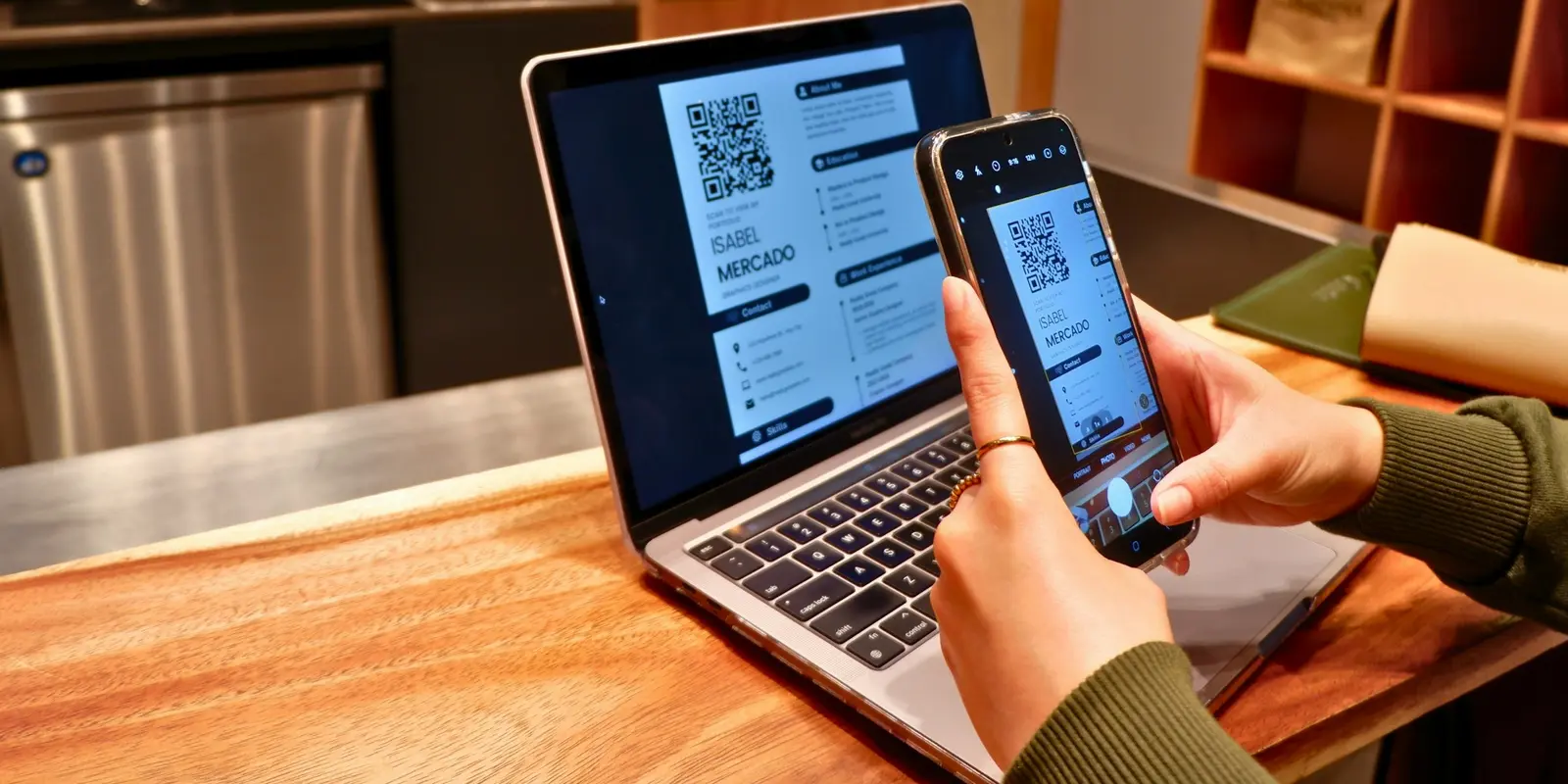
An eSIM sidesteps the biggest practical headache of arriving in a new country: finding a working SIM card on day one, with no idea which store actually has stock or how the activation process works in a language you may not speak fluently. A co:sim USA eSIM installs from a QR code that arrives by email within seconds of checkout, so you can set it up on home Wi-Fi days before your flight and simply connect once you land, with the underlying network listed on the plan page so you know what you're getting before you buy. It's also reloadable, so a trip that runs longer than planned, or a data estimate that turns out too conservative, doesn't mean starting over with a second purchase.
Compare co:sim USA eSIM plansIf your route also crosses into Canada, say a Niagara Falls day trip or driving the Seattle-to-Vancouver corridor, a single-country US eSIM stops working at the border, and co:sim's USA + Canada bundle avoids needing two separate profiles for one trip.
No. There's no federal or state law in the United States requiring identity verification to purchase a prepaid SIM card, and this has been confirmed repeatedly by legal analysts tracking the issue since a 2010 congressional proposal to require it never passed (Davis Wright Tremaine). In practice, you can walk into a Walmart, Target, or convenience store, pay cash or card, and walk out with a SIM, though you'll typically still need to self-activate it online afterward. This is a genuine contrast with many other countries, where tourist SIM registration increasingly requires a passport and sometimes a biometric check. Postpaid plans are the exception: those do require identity and credit checks, but they're built for residents rather than short-term visitors, so tourists generally stick to prepaid options anyway.
It depends on the model and where it was bought. Every iPhone 14 and later model sold in the United States has no physical SIM tray at all and relies entirely on eSIM, a change Apple made permanent starting with that generation and confirmed on its own support pages. If you're using an iPhone 13 or earlier, or an iPhone 14 or later bought outside the US, it likely still has a physical nano-SIM slot alongside eSIM support. The safest way to check is Apple's own device support pages for your specific model and where it was purchased, since the US and international versions of the same iPhone generation can differ. If your phone turns out to be eSIM-only, that's not a limitation for travel: an eSIM installs in minutes and works the same as, or better than, a physical SIM for a short US trip.
For very short, city-focused trips with light data needs, it can come close, but it's a real gamble for anything longer or more active. Hotels, airports, and coffee shop chains offer reliable free Wi-Fi in most American cities, and the National Park Service even lists visitor centers with public access. The problem is the gaps in between: navigating with maps, calling a rideshare, or checking transit schedules while walking between Wi-Fi zones is exactly when you need a signal and won't have one. Relying purely on free Wi-Fi also means no connectivity at all in a rental car, on a hiking trail, or anywhere outside a building offering it. A small backup data plan, whether a physical SIM or a co:sim eSIM installed before you fly, is a low-cost way to avoid getting stuck without directions or communication when it matters most, and unlike hunting for a working Wi-Fi network, it stays connected the whole time you're moving between stops.
It's the easiest option since it requires no setup at all, but it's usually also the most expensive way to get connected in the US, and per-day or per-megabyte roaming charges can add up fast over a week or two. It can make sense for a very short trip where convenience outweighs cost, or if your home plan happens to include reasonable US roaming already, which is worth checking before you fly. For most trips longer than a few days, a prepaid SIM or a data-only eSIM like co:sim's works out cheaper for the same amount of data, without the bill-shock risk that comes with per-megabyte roaming pricing. The other advantage of setting up a co:sim eSIM specifically is timing: since it installs from an emailed QR code before you leave home, you're not stuck comparing roaming add-ons at the gate or making a decision under time pressure right before boarding, which is exactly when the most expensive default option looks tempting simply because it requires nothing extra.
Whatever you land on, the planning only takes a few minutes: check whether your phone has a physical SIM slot, decide how much data your trip realistically needs, and either grab a prepaid SIM after you land or set up a co:sim eSIM before you go.
Instant delivery by email · Install before you fly
 Travel Tips
A practical guide to internet in Saudi Arabia for Hajj and Umrah pilgrims: how the Nusuk app works, where networks get congested during the pilgrimage, honest notes on WhatsApp calling, and why installing an eSIM before you fly skips the biometric SIM counter.
 Travel Tips
A practical guide to internet in Israel for tourists: free city Wi-Fi, SIM and eSIM options, desert coverage gaps, and why Shabbat closures (including the airport SIM counter) make installing an eSIM before you fly worth it.
 Travel Tips
Staying connected in Czechia depends on where your phone plan is from. Here's what actually works in Prague, including the metro, and how to set it up before you land.
 co:sim Team