All Articles
How-To
 How-To
How Do You Temporarily Disable and Re-enable a Travel eSIM Without Deleting It?
Disabling an eSIM line is reversible; deleting its profile is not. Use these iPhone and Android controls when switching between home and travel service.
co:sim TeamSep 26, 20266 min
 How-To
How to Use Wi-Fi Calling With a Data-Only Travel eSIM (and Keep Your Number)
You can keep taking calls and texts on your own number abroad while a data-only travel eSIM carries the internet, without roaming charges on either. Here are the exact iPhone and Android steps, the two-line configuration, and the limits worth knowing first.
co:sim TeamSep 25, 20268 min
 How-To
Why Does My Travel eSIM Show LTE Instead of 5G?
LTE can be normal when 5G is unavailable, not beneficial, disabled by settings, or unsupported for that roaming profile. Check performance before chasing the icon.
co:sim TeamSep 24, 20267 min
 How-To
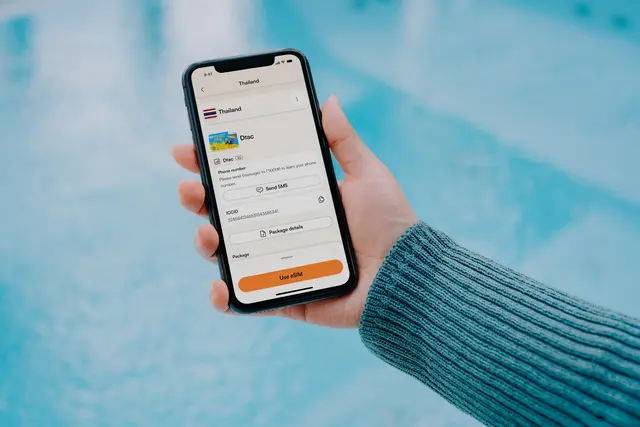
eSIM Stuck Activating? How to Fix It Step by Step
An eSIM stuck on Activating usually needs a stable connection, the correct data line, or a carrier refresh. Work through these checks without deleting the plan too early.
co:sim TeamSep 23, 20266 min
 How-To
Why Is My Phone Using the Home SIM’s Data Instead of the Travel eSIM?
An installed travel eSIM is not always the default data line. Use these iPhone, Pixel, and Galaxy checks to prevent accidental home-line roaming.
co:sim TeamSep 22, 20266 min
 How-To
Travel eSIM Hotspot Connected but No Internet? Fix It
A hotspot connection only proves the two devices can see each other. Test the travel eSIM on the host phone first, then check the data line, hotspot settings and receiving device.
co:sim TeamSep 21, 20269 min
 How-To
How Long Before Your Flight Should You Install Your eSIM?
Installing an eSIM early is safe; activating it early can burn paid validity days. Here's the real difference between the two steps, and when to do each before a flight.
co:sim TeamSep 21, 20267 min
 How-To
How to Cancel or Get a Refund for an eSIM
How eSIM refunds actually work: the install-based eligibility rule, what disqualifies a request, and the steps to request a refund before you buy again.
co:sim TeamSep 18, 20269 min
 How-To
Can You Use an eSIM on a Laptop? (Windows PC, Step by Step)
An eSIM only works on a laptop with an actual WWAN cellular modem, not on every Windows 11 PC. Here's how to check if yours qualifies, which models genuinely have the hardware, and the exact steps to install a data-only eSIM.
co:sim TeamSep 17, 20268 min