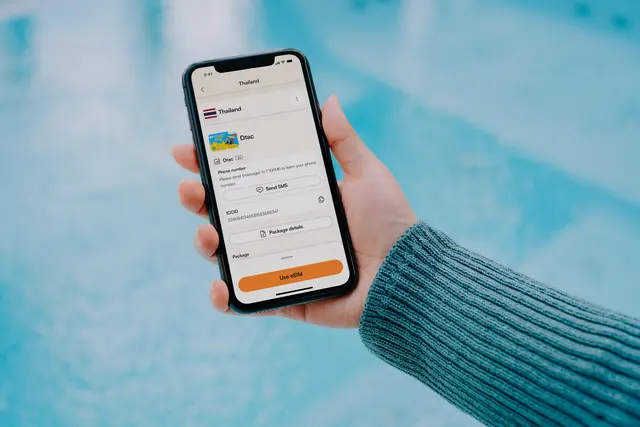
You can usually turn a travel eSIM line off without deleting its profile. The phone stops using that line until you enable it again, while the downloaded profile remains available in SIM settings. This is useful when switching to a home line, but it does not pause a provider’s validity clock or change a plan’s billing rule. co:sim profiles should stay installed unless support tells you otherwise.
On iPhone, open Settings, Cellular, select the travel line, and turn on or off the line. Pixel and Galaxy expose a similar enable/disable control under SIMs or SIM manager. Keep the profile name clear so you do not toggle the wrong line. Turning off the line is reversible; Delete eSIM or Remove mobile plan is a separate destructive action.
The phone cannot use that line for data, calls, or SMS while it is off. Select the home line for mobile data if you still need connectivity, and consider disabling home-line data roaming before departure. A data-only co:sim plan has no phone number, so switching lines does not create voice service on it.
Disabling prevents traffic while the line is off, but it does not promise a refund, extension, or pause. Validity and billing are controlled by the plan's terms and activation state. Re-enable the line, select it as data, and allow roaming when you are ready to use it. Check the co:sim dashboard for the current allowance instead of guessing from the toggle.
#What is the difference between disabling and deleting?
Disabling a line tells the phone to stop using that profile for now while retaining its downloaded credentials. Deleting removes the profile from the device. A line toggle is generally reversible through Settings; a deleted travel eSIM may require provider help and may not be reinstallable with the original QR code. Read the control's label carefully before confirming any action. On a dual-SIM phone, give the travel line a recognizable name so you can distinguish it from the home line. co:sim support should be consulted before deleting a profile to troubleshoot service.
On arrival, enable the travel line and select it for mobile data. Follow the plan's data-roaming instructions and confirm that the supported network appears. Decide separately whether the home line should remain available for calls or SMS; its carrier may charge for roaming services even if the travel eSIM supplies data. Before departure or after the trip, you can switch mobile data back to the home line and disable the travel line. Verify the selected line after a restart, because settings and automatic-switching controls can vary by device and software version.
The line toggle only controls whether the handset uses that profile. The provider's activation and validity rules exist separately from the phone's switch. A plan that has started may keep running while the line is off, and an installation deadline can still apply before activation. Check the exact co:sim plan page and account dashboard for those dates and rules. Disabling can prevent data usage through that line while it is off, but it is not a pause, refund, or extension request.
Normally no. Re-enabling an installed eSIM line uses the profile already stored in the phone; the QR code was used to download or add that profile. Open the line's Settings screen and turn it back on, then select it for mobile data if you want to use the travel connection. Check any data-roaming instruction on the co:sim plan page and test a small webpage with Wi-Fi off. This answer changes if you deleted the profile rather than disabling it. A deleted travel profile may require a new installation credential, and one-time codes may not work twice. Keep the delivery email for your records, but do not treat it as a guarantee of reinstallation. If the profile is missing, ask support about the specific order before scanning again or resetting the phone.
#Can I disable the travel line to avoid roaming charges?
Disabling the travel line stops that line from providing mobile data while it is off, but it does not control the home SIM's charges. If the home line remains enabled, its carrier may bill for roaming data, calls, or texts according to its own terms. Check the mobile-data selector and any automatic-switching control, then review the home carrier's roaming settings. When you want to use co:sim again, enable the travel line, choose it for mobile data, and verify the correct network and destination. A co:sim data-only plan does not include an ordinary phone number, so the home line may still be needed for calls or carrier SMS. Test with a small page rather than a large download, and inspect the selected data line after a restart or border crossing.
#Does turning off the eSIM pause validity or save data?
Turning off the line can prevent new mobile traffic through that particular profile while it stays disabled, so it may conserve the unused data allowance. It does not pause or extend the provider's validity period, reverse a billing start, or automatically create a refund. The actual timing rules depend on the specific co:sim plan and are shown on its page and in the account dashboard. If the phone switches data to the home SIM, you may incur home-carrier roaming charges instead; saving one allowance is not the same as eliminating all mobile charges. Before toggling, check which line handles data and whether automatic fallback is enabled. After re-enabling, select the travel profile again and test a small webpage. Keep the downloaded profile installed because deletion is a separate, potentially irreversible operation.

 co:sim Team