Back to Blog
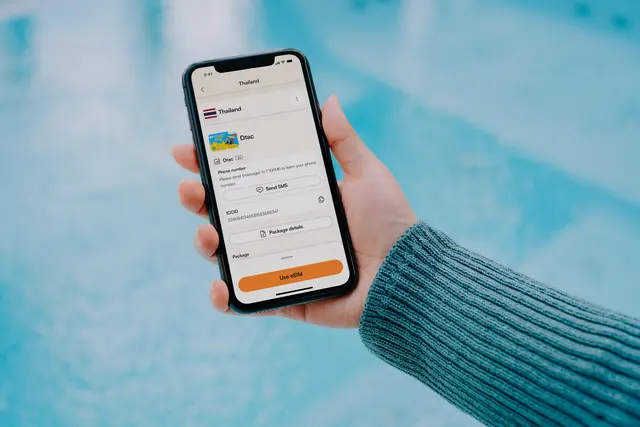
An eSIM stuck on Activating usually has not completed its first network registration. Keep the plan installed, connect to reliable Wi-Fi, confirm the correct line is enabled, and restart once; a travel plan such as co:sim may remain pending until you reach its supported destination.
Confirm that the phone is carrier-unlocked, supports eSIM, and has internet access. Installation and activation are different: installation downloads a profile, while activation registers it on a supported mobile network. A travel eSIM can install at home yet legitimately wait for a partner network abroad.
On iPhone, open Settings > Cellular or Settings > Mobile Service, select the new line, and turn on Turn On This Line. Apple's eSIM setup guide also explains QR-code, carrier-link, and manual-entry methods. On Pixel, use Settings > Network & internet > SIMs > Add SIM; Google's Pixel SIM guide documents that path.
Before changing anything, save the QR email and order details. co:sim delivers the QR code by email after checkout, while its plan page states the network, installation deadline, billing-start rule, and whether top-up is supported. Do not scan the same QR repeatedly or delete the profile merely because the status has not changed.
For a co:sim plan, compare the displayed line and destination with the confirmation email before contacting support. Include the order reference, phone model, current country, exact status, and screenshots, but never publish the QR code or activation code.
Wait when the profile installed successfully but you are outside the plan's coverage area. Many travel eSIMs cannot complete registration until they can see an eligible destination network. A pending label at home is therefore different from a failure after landing.
Also allow several minutes after a restart or network change. Repeatedly toggling settings can restart registration. If the phone shows No Service rather than Activating, verify the destination, roaming setting, selected data line, and supported network. Travelers still choosing a plan can compare a Japan data-only eSIM as one concrete example of the details to check before purchase.
A QR activation code may be single-use. Deleting a downloaded profile can therefore turn a recoverable network-registration problem into a replacement request. First exhaust connection, line-selection, roaming, restart, update, and network-selection checks.
Delete and reinstall only when the provider explicitly confirms that the code can be reused or issues a replacement. This precaution matters even if the phone offers a prominent Delete eSIM button: the device can remove a profile without knowing whether the carrier will permit another download. Support can inspect the order context; send diagnostic details privately rather than experimenting with the QR code.
An eSIM download often finishes quickly, but network activation can take several minutes and may not complete until a travel eSIM reaches a supported country. Give the phone a stable Wi-Fi connection, select the new line for mobile data, enable roaming where the plan requires it, and leave automatic network selection running before restarting once. If the status remains Activating after you are in coverage and have waited through a clean restart, collect the phone model, operating-system version, destination, signal indicator, and screenshots for the provider. Do not use a universal time promise: carrier provisioning and local registration differ. For co:sim, check the network and billing-start details on the relevant plan page, then contact support with the order reference. Never post the QR code in a forum or screenshot because it is an activation credential, not a general troubleshooting identifier.
Yes. Another active SIM can normally continue working while the new eSIM is pending, provided the device supports the chosen dual-SIM arrangement. Keep the home line available for calls or account-verification messages if needed, but assign mobile data to the intended line and disable data switching to avoid accidental home-carrier roaming. Messaging apps will work over whichever line supplies internet. A data-only travel plan does not add a phone number, so ordinary carrier calls and SMS remain attached to the home line. co:sim plans are data-only; this separation is expected rather than evidence of failed activation. If changing the default data line interrupts the setup, reconnect to Wi-Fi and let registration finish. Avoid deleting either profile while diagnosing. Instead, label the lines clearly, note which one shows Activating, and change one setting at a time so you can identify what solved the problem.
A network-settings reset can help after simpler checks fail, but it should not be the first step. It commonly removes saved Wi-Fi networks, VPN or access-point settings, and other connection preferences, so record anything you need before using it. First enable the eSIM line, select it for data, allow required roaming, toggle Airplane Mode, restart, update the operating system, and test approved networks. If the provider then recommends a reset, follow the device maker's instructions and reconnect to Wi-Fi afterward so provisioning can continue. The reset does not guarantee that an out-of-coverage travel eSIM will activate, and it cannot correct an invalid or already-used activation code. If you bought through co:sim, preserve the installed profile and order email while support checks the case. Deleting the eSIM is a separate, higher-risk action and should happen only after explicit provider guidance.
Browse current travel plans while keeping the existing profile intact:
Once the line registers, test a lightweight page before relying on it for maps or transport.
Mexico
1-day trip pass
From $2.99
Canada
1-day trip pass
From $2.99
Brazil
Valid 7 days
From $3.99
Instant delivery by email · Install before you fly
 How-To
Disabling an eSIM line is reversible; deleting its profile is not. Use these iPhone and Android controls when switching between home and travel service.
 How-To
You can keep taking calls and texts on your own number abroad while a data-only travel eSIM carries the internet, without roaming charges on either. Here are the exact iPhone and Android steps, the two-line configuration, and the limits worth knowing first.
 How-To
LTE can be normal when 5G is unavailable, not beneficial, disabled by settings, or unsupported for that roaming profile. Check performance before chasing the icon.
Valid 7 days
From $3.99
 co:sim Team