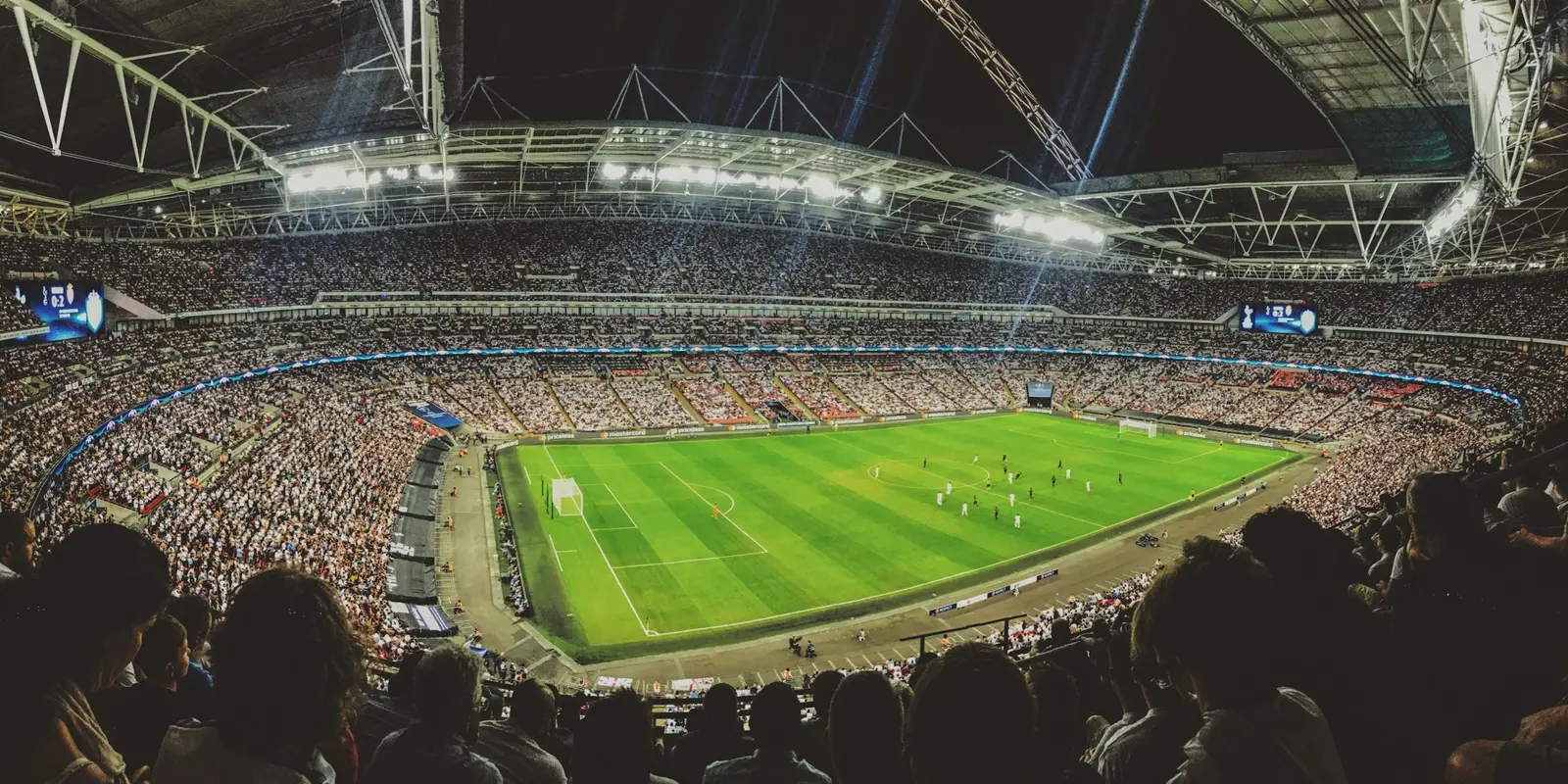
Why Is Mobile Data So Slow in a Football Stadium?
 co:sim Team
Mobile data slows to a crawl in a football stadium because 40,000 to 80,000 phones share a handful of cell sectors, and the direction you need most (uploading photos, videos and messages) is the weakest part of the link. Adding a second network to your phone, on a different carrier than the crowd's, helps more than any setting change.
That second network is what a data-only travel eSIM is for. A co:sim eSIM sits alongside your existing SIM, giving you two independent routes out of the ground rather than one. It is not a speed upgrade, and no honest provider sells it as one.
#Why does uploading break before downloading does?
Uploading fails first because your phone transmits at a fraction of a mast's power, and 5G's time-division frames give the uplink far fewer slots than the downlink. Downloads can be cached and served from a CDN near the venue. The photo leaving your hand cannot be cached by anyone.
Researchers measuring an 80,000-capacity American college football ground on two 2025 matchdays found the split plainly. On game day at Notre Dame Stadium, Verizon's mid-band 5G carrier delivered a median of roughly 11.5 Mbps down against just 0.5 Mbps up; T-Mobile's n41 managed 44 Mbps down and 1.5 Mbps up.
Handsets there already sat at their transmit ceilings, near 23 dBm and 26 dBm, and the same gap showed up on empty pre-season days. The shortfall is built into the link budget, not created purely by the crowd.
#Why does a full football stadium make mobile data so much slower?
A crowd turns that weakness into visible failure: tens of thousands of people reach for their phones in the same ten seconds after a goal, and every upload competes for one sector's small pool of capacity.
At the February 2026 Super Bowl at Levi's Stadium, Verizon customers moved 40.32 TB and AT&T customers 24.4 TB, a two-carrier total of 64.72 TB, with T-Mobile's roughly 11 TB taking the three-carrier figure close to 76 TB from a crowd of 70,823.

Crowds also cluster on one operator: Verizon reported about 42,210 connected customers that day, roughly 60% of everyone in the building on one carrier's sectors. The concrete-and-steel bowl also blocks the surrounding macro network, so venues run their own distributed antenna system (DAS), sliced into narrow sectors per block of seats.
#Does a travel eSIM actually make stadium data faster?
No. An eSIM (embedded SIM) cannot beat congestion on a network it already sits on. What it can do is put you on a different network from the crowd around you, and the measurements show that difference is real: the carrier that was fastest on a quiet day was the slowest on matchday.
In the app-level companion study, Verizon posted the best median time-to-first-byte on non-game days at 349 ms, then the worst of the three on game day at 750 ms; T-Mobile went from 454 ms to 504 ms. Session failure rates followed: 36.6% on AT&T, 25.0% on T-Mobile, 24.7% on Verizon, against 3.9% on venue Wi-Fi. The authors credit architecture: T-Mobile's standalone 5G bypasses the shared LTE anchor the other two lean on.
Here is the honest limit. You cannot know in advance which network will hold up in a given stadium, and if your travel eSIM roams onto the same host network as most of the crowd, you gain nothing. You can, though, check first: every co:sim destination page names the operators a plan runs on, so the Europe 33-country plan page lists networks including Vodafone, Orange, EE and Movistar. Compare that against your home SIM's roaming partner and pick the one that differs.
#What actually helps once you are inside the ground?
Try the venue Wi-Fi first. In the study above it failed 3.9% of page loads during matches, against 24.7% to 36.6% on the three cellular networks: the network everyone complains about was measurably the most reliable in the building.
| Option | Download | Upload | Honest catch |
|---|---|---|---|
| Venue Wi-Fi | Best measured | Best measured | Not everywhere; sign-in pages jam at kickoff |
| Home SIM roaming | Depends on host | Weakest link | You do not choose the local network |
| Second eSIM, e.g. co:sim | Varies | Varies | Only helps on a different carrier from the crowd's |
| Forcing 4G over 5G | Usually slower | Often better | Trades peak download speed for a steadier upload |
Switch line rather than settings: with a data-only eSIM active you flip your data line in two taps and keep your home number live for calls and texts. co:sim emails the QR code within seconds of checkout, so you can install and test the line days before you travel.
#FAQ
#Why does my phone show full 5G bars but nothing loads in a stadium?
Signal bars measure how strongly you hear the mast, not how much capacity is left for you. In a packed stadium the tower is close and loud, so the bars stay full while tens of thousands of handsets queue for the same scheduling slots in the same sector. Uploads suffer first, because your phone is power-limited and 5G's time-division frame structure allocates fewer slots to the uplink than to the downlink. Measurements at an 80,000-seat American football ground recorded median uplink throughput of 0.5 Mbps on one carrier's mid-band 5G during a match, against roughly 11.5 Mbps downlink on that same carrier. Full bars with a stalled upload is therefore the expected outcome, not a fault with your handset, your SIM or your data plan.
#Will a travel eSIM fix slow data at a football match?
Not on its own, and any provider promising otherwise is overselling. An eSIM gets no priority treatment, and it cannot outrun congestion on a network it shares with the crowd. The one real mechanism is diversity: a second profile can put you on a different operator from the one most people around you are using, and matchday measurements show carriers in the same building degrade very differently. co:sim is a good fit here specifically because its destination pages name the host networks each plan runs on, so you can check before you buy whether the plan lands on a different operator than your home SIM's roaming partner. Because co:sim plans are data-only, that second route sits alongside your existing number rather than replacing it, and your calls and texts keep working as normal.
#Is stadium Wi-Fi better than mobile data during a match?
Usually yes, where the venue has invested in it. In a 2026 study of matchday performance, the stadium Wi-Fi recorded a 3.9% page-load failure rate while the three cellular networks in the same building recorded 24.7%, 25.0% and 36.6%. Its median time-to-first-byte of 573 ms was competitive with the best-performing carrier that day. The caveats are practical rather than technical: not every ground offers public Wi-Fi, captive sign-in portals often collapse in the minutes before kickoff, and coverage in concourses and stairwells is patchier than in the seating bowl. Connect and authenticate early, well before the crowd builds, and keep a cellular line active as a fallback so you are not stranded if the sign-in portal refuses your login at half-time.
#Does turning off 5G help in a crowded stadium?
It often helps uploads and it usually costs you download speed. The reason is the duplexing scheme. High-band 5G typically runs time-division duplex with a downlink-heavy frame, leaving relatively few slots for transmitting. Older LTE bands below 1 GHz run frequency-division duplex, giving a narrower but continuously available uplink channel that matches what a battery-powered handset can realistically transmit. The stadium measurement study found low-band anchors carrying the majority of uplink traffic on matchday for exactly this reason. On an iPhone, Settings → Cellular → Cellular Data Options → Voice & Data → LTE forces the change, and the Android equivalent sits under preferred network type. Switch back afterwards, because away from a crowd 5G is comfortably faster in both directions, and leaving a phone locked to LTE quietly costs you speed for the rest of the trip.
#Should I buy an eSIM before an away match or after I arrive?
Before, for a practical reason rather than a commercial one: installing an eSIM profile needs an internet connection, and the worst places to hunt for one are an arrivals hall and a stadium concourse. Buying at home lets you install the profile, confirm the line appears in your cellular settings and label it while you still have reliable Wi-Fi. co:sim is a good fit for an away trip because one regional plan covers dozens of countries on a single profile, which matters when a European away weekend crosses a border by train, and because the QR code arrives by email within seconds of checkout rather than by post. Check the plan page for its install deadline and its network list before you pay, since both vary by destination.
Slow stadium data is a capacity and uplink problem, and nothing you install changes the physics. A second network changes your odds, and co:sim is a good fit for that job because its plans are data-only and network-transparent: they run alongside your home SIM, and every destination page names the operators a plan rides on.