
Back to Blog
Yes — Heathrow Airport WiFi is free in every terminal. Open your WiFi settings, join the network named _Heathrow Wi-Fi, complete a short on-screen registration, and you're online for the length of your stay, per Heathrow's official Wi-Fi page. No purchase or premium tier is needed for standard browsing, email, and messaging.
The process is the same at Terminal 2, Terminal 3, Terminal 4, and Terminal 5:
Heathrow also runs the connection under Friendly Wi-Fi certification "across all terminals," a UK government-backed content-filtering standard, which is a useful proxy for confirming the network genuinely covers T2 through T5 rather than a single pilot zone. If you're travelling without a device or your phone won't connect, Heathrow's page notes free internet kiosks are available in every terminal, with locations shown on the terminal maps. Anyone who gets stuck can call Heathrow Customer Care at 0808 189 1365.
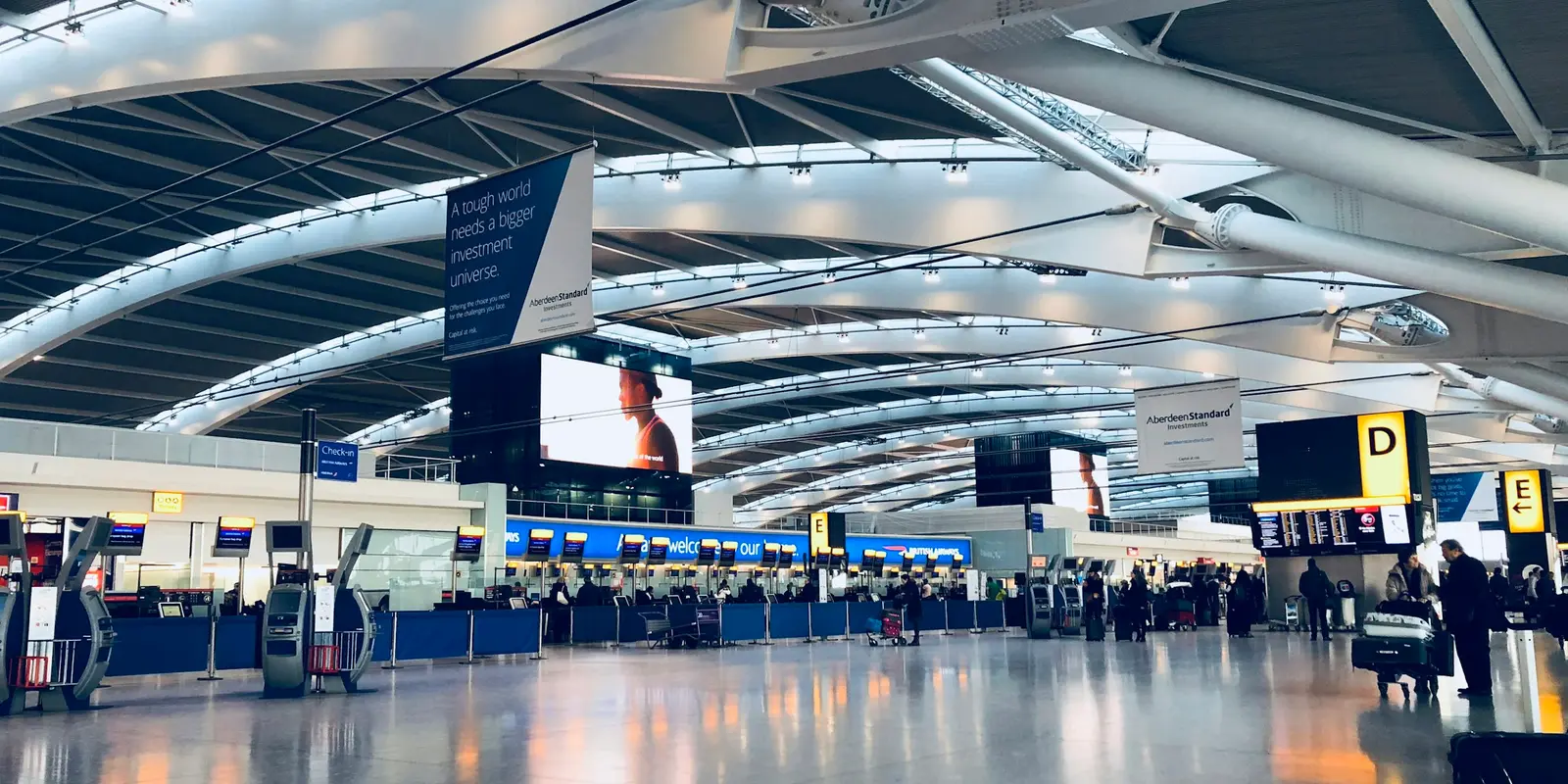
For what most travelers actually need at the gate, this setup works cleanly: one registration step, no per-terminal re-login, and coverage described as spanning every terminal building. That's enough to check a gate change, message someone picking you up, load a boarding pass, or open the QR code from a co:sim delivery email while you wait to board.
The boundary is the terminal building itself. Heathrow's page ties free access to "your stay at Heathrow" — it doesn't extend past security, baggage claim exits, or onto the transport network. The moment you board the Heathrow Express, step onto the Piccadilly line, or get into a taxi toward central London, _Heathrow Wi-Fi is gone, whether or not that specific service happens to run its own separate connection. Like most open airport networks, it's also unencrypted, so it's worth keeping banking logins off it or routing through a VPN if you're doing anything sensitive.
Travelers who land already connected did one thing before departure: they installed a co:sim eSIM at home so it's ready the moment their phone finds a UK network, not only while they're within range of an airport SSID. The QR code arrives by email seconds after checkout, and installing it takes about five minutes following Apple's standard eSIM setup flow (Settings → Cellular → Add eSIM, then scan the code) — a process built on a GSMA-defined standard supported by most recent phones, so there's no SIM counter to find on arrival.
Under first-connection billing, an eSIM installed early simply waits until your phone connects to a UK network, so there's no downside to setting it up days before you fly. Each co:sim plan page lists the underlying network, the install deadline, and whether validity starts at purchase or first connection, so you know exactly what you're getting before you buy.
Browse United Kingdom eSIM data plansIf London is one stop on a longer European trip, co:sim's Europe eSIM bundle covers dozens of countries on a single plan instead of buying separate data for each border you cross.
Yes, it's genuinely free with no time-limited trial or paid upgrade mentioned on Heathrow's official Wi-Fi page, which describes it as a "super-fast free Wi-Fi network" available for the length of your stay in the terminal. In practice, shared public networks in a busy terminal can vary with how many travelers are connected at once, so treat it as reliable for browsing, messaging, email, and streaming a short video, but don't count on it for a long, uninterrupted video call if the connection feels congested during a peak departure bank. If you need something more predictable, an eSIM installed before you fly runs on the mobile network rather than shared terminal WiFi, so it isn't affected by how many other passengers are online at the same gate.
You do complete a short on-screen step. Heathrow's official guidance says to select _Heathrow Wi-Fi and "follow the on-screen instructions," without publishing the exact registration fields on that page, so expect a brief form rather than an open, click-through network. It's faster than airports that require a phone number and SMS verification code, since you don't need working roaming to receive a text before you can get online, which matters if you've just landed with a phone that hasn't yet reconnected to any network. If the registration page doesn't load automatically after you connect, opening your browser and typing any plain web address usually triggers it. Travelers who'd rather skip a registration screen altogether can install a co:sim eSIM before departure and land already connected, with no portal to fill in and no waiting for a login page to appear on arrival.
Yes. Heathrow states it is certified "Friendly Wi-Fi" across all terminals, which is the airport's own confirmation that the network, and its content-filtering standard, applies uniformly rather than terminal by terminal. The connection steps, network name, and free-for-your-stay access described on the official page aren't presented as terminal-specific either, so a passenger connecting in T5 for a long-haul departure should have the same experience as one transiting through T2 or T3. What does vary by terminal is physical layout: gate density, seating, and the exact location of the free internet kiosks, all shown on Heathrow's terminal maps. If a specific area feels weak, moving toward a food court or seating zone usually helps, since those are typically busier, better-covered spaces.
Both work, but they get you online at different points. Heathrow's arrivals area has SIM card vending and retail options, and buying one after landing is a well-trodden path. An eSIM flips that order: with co:sim, the QR code lands in your inbox seconds after checkout, so you install it at home over your own WiFi and it's simply there when your phone reaches a UK network. co:sim plans are data-only, meaning no UK phone number for calls or SMS, which is a non-issue for most visitors since maps and messaging apps run entirely on data. Before buying, check the plan page for the install deadline and whether validity starts at purchase or first connection, so you know exactly when the clock starts.
Getting online at LHR is the easy part. Compare United Kingdom eSIM plans by data, validity, and network, and install before you board so the connection is already waiting when you land.
Instant delivery by email · Install before you fly
 Travel Tips
A practical guide to internet in Saudi Arabia for Hajj and Umrah pilgrims: how the Nusuk app works, where networks get congested during the pilgrimage, honest notes on WhatsApp calling, and why installing an eSIM before you fly skips the biometric SIM counter.
 Travel Tips
A practical guide to internet in Israel for tourists: free city Wi-Fi, SIM and eSIM options, desert coverage gaps, and why Shabbat closures (including the airport SIM counter) make installing an eSIM before you fly worth it.
 Travel Tips
Staying connected in Czechia depends on where your phone plan is from. Here's what actually works in Prague, including the metro, and how to set it up before you land.
 co:sim Team