Back to Blog
You need a working internet connection for an app-led charging stop abroad, but you do not necessarily need a new travel eSIM. An eSIM (embedded SIM) such as co:sim supplies data, not a charging account, payment card or phone number. Existing roaming, usable Wi-Fi or an accepted RFID card may already cover your needs.
Buy connectivity around how you will authorize the charge. If your plan relies on opening an app, finding a live station listing and sending a remote start request, arrange a working connection for that stop. A downloaded driving map does not prove that a charging app can send its request.
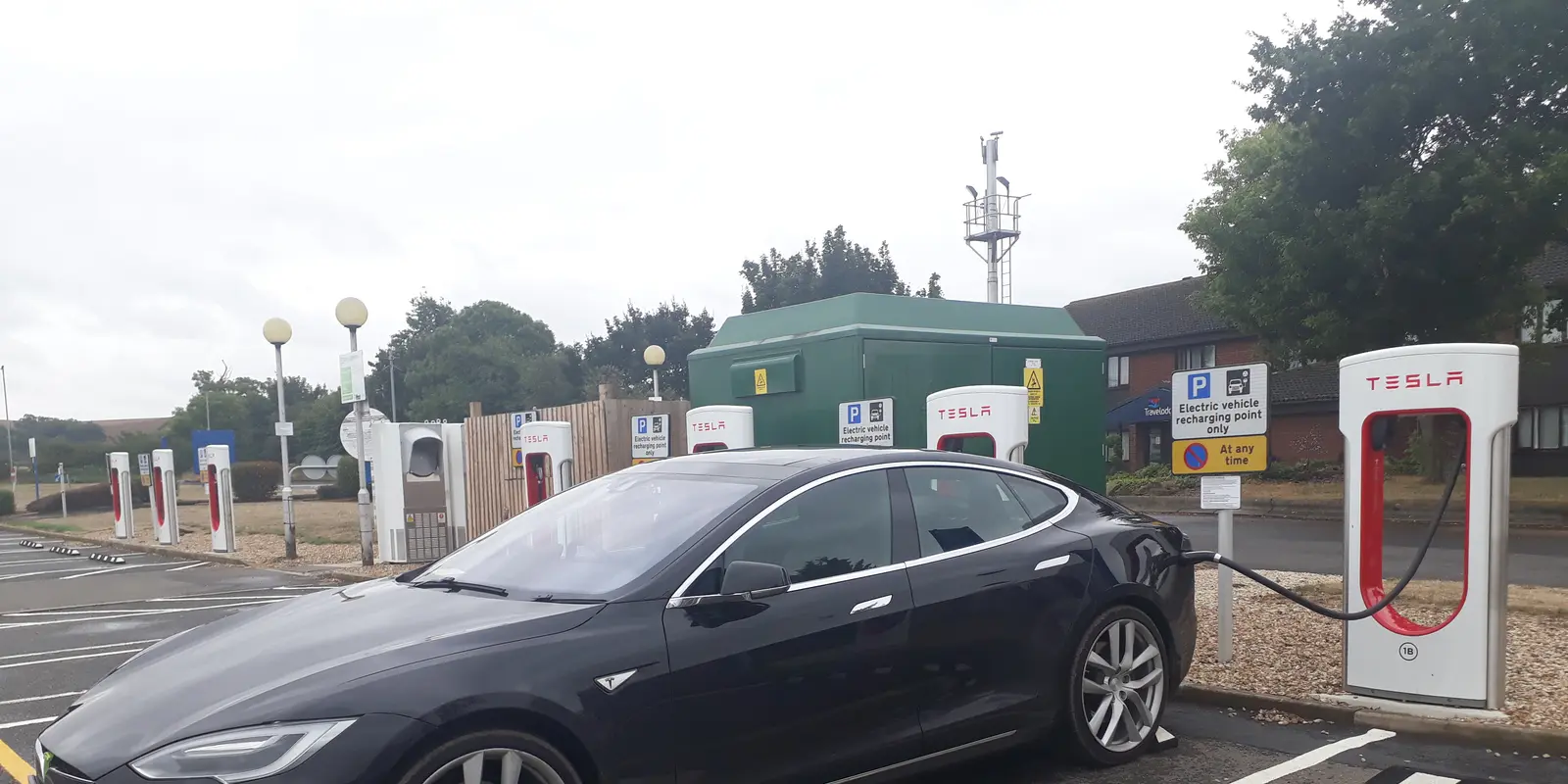
ChargePoint's session-start FAQ describes app start, an RFID card and Tap to Charge. It explicitly limits Tap to Charge availability to North America. Do not turn that regional feature into a promise about every charger on an overseas road trip. Other networks have their own access methods, and a rental car's charging arrangement deserves a separate check.
| Your charging arrangement | Does buying another data plan help? | Check before departure |
|---|---|---|
| App start with no usable roaming | A co:sim data plan can provide the phone connection | Listed countries, phone compatibility and local reception |
| Existing roaming works along the route | A second plan may be unnecessary | Your carrier's allowance and roaming conditions |
| Accepted, activated RFID charging card | Data may be unnecessary for that authorization method | Card acceptance at the actual planned stations |
| A different on-site payment option | Follow the station's instructions | The method is actually offered, with an alternative stop available |
Keep the three decisions separate: reaching the app, being authorized to use the charger, and paying for electricity. Buying mobile data addresses the first. It does not establish the other two.
ChargePoint's driver overview describes starting sessions through its app at ChargePoint and certain roaming-partner stations, alongside an RFID option. The word “certain” matters: a network appearing on a map does not establish that your account can start every unit there. Check the intended station in the app and the account or rental agreement you will actually use.
Set up that account and inspect payment settings while you have a reliable connection. ChargePoint's payment FAQ lists credit cards, Apple Pay, Google Pay and PayPal as account payment methods. Those are ChargePoint's stated options, not a guarantee that every charging network, card issuer or country follows the same rules. A working data connection cannot correct a declined payment method.
Next, list every country you will drive through, including overnight detours and the return journey. On co:sim, compare the actual plan's coverage, data allowance, validity and billing-start rule with that route. For a US leg, the US data-plan page is an example of a country-specific comparison; it says nothing about eligibility at a particular charger. A regional product is useful only if its listed coverage includes the countries you need.
Do not select an allowance from an invented “data per charge” estimate. The charging task shares your phone's connection with navigation, messages, updates and other apps. Compare the allowance against your own expected phone use, then preserve a way to reach another station if the planned one is unavailable.
A charger without a screen is not automatically app-only. ChargePoint's screenless-station FAQ describes app-based remote start and RFID authorization at eligible stations. Check the exact unit and the card associated with your account before relying on that route.
This is the practical reason to arrange an alternative authorization method before leaving home. A phone can lose power or reception even with a valid plan. Save the station address, any required identifier and the operator's help details; keep the physical charging card accessible if your planned network accepts it. Do not describe a screenshot as a substitute for a live start command.
co:sim delivers eSIM details by email and provides plan management in My Plans. Keep the installation instructions accessible before departure, but distinguish installation from a working connection at the charger. A listed country is not a guarantee of rural reception, working station hardware or available charging bays. Plan an alternative stop while you still have enough vehicle range to use it.
A travel eSIM provides the phone's data connection; it does not pay the charging operator. With a data-only co:sim plan, the charging account and its accepted payment method remain separate. ChargePoint's payment FAQ describes its own account options, while another network may use different terms. Complete account setup before the trip and verify that the method you intend to use is accepted for your planned stations.
If a charging app opens normally but payment fails, buying more mobile data is not the first fix. Check the app's account status, payment message and station instructions. Likewise, a successful eSIM installation does not show that a charge has been authorized. Wait for the charging system's confirmation and verify the vehicle is charging. Keep an accepted alternative method or another reachable station available rather than treating internet access as approval to draw electricity.
Yes. If your existing mobile service provides suitable roaming where you will charge, you may not need another travel data plan. Compare the carrier's actual allowance, destination eligibility and charges against the route, rather than assuming foreign charging apps demand a particular type of SIM. The app needs a usable connection and an eligible account; the travel eSIM label does not confer special access to chargers.
A co:sim plan is an alternative worth comparing when your home arrangement does not fit that journey. Check the phone is unlocked and eSIM-compatible before purchase, and compare the selected plan's country list and dates. Avoid buying overlapping data purely because you are renting an electric car. An accepted RFID card may cover session authorization, although you may still want mobile data for finding a different station, checking an app or contacting your rental company during the trip.
An accepted RFID charging card can remove the need to send that particular authorization from your phone's app. It does not establish that every station accepts your card or that the rest of the road trip can be managed offline. ChargePoint describes an RFID route, but acceptance depends on the charging arrangement you use. Verify the account association and station eligibility before departure, especially when a rental company supplies the card.
Keep practical tasks separate. You may still want connectivity to inspect live station information, find an alternative or read an account message. Conversely, buying a data plan does not activate a physical charging card. Carry the actual card if you plan to use it, and check the instructions at the unit rather than assuming a phone screenshot or any contactless bank card performs the same function. Arrange alternatives around your route and vehicle range.
No. A mobile plan listing a country does not guarantee reception at every parking area or remote charging location. Local radio conditions, the phone and the station's own state remain separate considerations. A travel data plan also cannot guarantee that a charger is functioning or unoccupied. Avoid designing a charging itinerary around one app-only stop with no reachable alternative, particularly when vehicle range leaves little room to change plans.
Use the plan's actual coverage information for the countries you will visit, and check charging access through the relevant operator. Save the next feasible alternative while connected, keep necessary account details accessible, and carry an accepted physical authorization method where available. These precautions address different failure points; none is a universal substitute for the others.
Compare co:sim with your existing roaming only after you know which parts of your charging route need a phone connection.
Mexico
1-day trip pass
From $3.99
Canada
1-day trip pass
From $2.99
Brazil
Valid 7 days
From $3.99
Instant delivery by email · Install before you fly
 eSIM Guides
Choose the account that should hold your social sign-in. Connecting does not move orders or eSIMs; a different unused email keeps the current account separate.
 eSIM Guides
A discontinued shopping offer does not settle an existing card’s status. Compare current Malaysia packages by data, timing and continuation before buying again.
 eSIM Guides
Choose an accessible co:sim support channel before buying: email or optional browser chat. Clarify the selected offer without another app or an unnecessary data purchase.
Valid 7 days
From $3.99
 co:sim Team