
Back to Blog
Lisbon Airport offers unlimited free Wi-Fi through the “VINCI Airports wifi” network, but the connection ends when you leave the terminal. Use it for a large download or to install settings, then switch to prepared mobile data such as co:sim's Portugal eSIM for the metro, a pickup message, maps, and the rest of the trip.
The current Lisbon Airport guide describes the service as free and unlimited and names the network “VINCI Airports wifi.” Network names can change, so compare the spelling shown by the airport or its current signage before joining a similarly named hotspot.
Keep the boarding pass, passport, baggage reference, and accommodation address available offline before troubleshooting. A portal login should not become the only route to time-critical information.

A captive portal can fail to appear when a VPN, private DNS service, ad-blocking DNS profile, or an existing mobile-data route intercepts the browser request. Temporarily pause the VPN, open a plain non-sensitive website, and return to Wi-Fi settings. Forget the network and join it again only after checking that the name matches the airport's published network.
If the phone reports “connected without internet,” wait rather than repeatedly accepting prompts. Busy arrival periods can slow shared networks. Toggle Wi-Fi once, disable automatic joining for look-alike networks, and try another public area in the terminal. Do not install unknown certificates or profiles to gain access.
The captive portal may also expire after sleep or a long idle period. Reopen the browser and repeat the displayed acceptance step. If it still fails, use mobile data or ask airport staff where the current official connection instructions are posted.
Treat any shared airport network as untrusted even when the SSID is legitimate. Modern HTTPS protects the contents of properly secured sites, but a look-alike hotspot can still redirect users or collect information entered into a false page. Verify the domain before signing in, keep the operating system updated, and avoid installing configuration files from a portal.
Use the connection for low-risk tasks such as downloading maps, opening a boarding pass, or checking a public transport page. Prefer mobile data for banking, password changes, and recovery of an email or payment account. If a sensitive task cannot wait, navigate to the service through its saved app or bookmark rather than a link shown by the portal.
After use, forget the network so the phone does not rejoin a similarly named access point later. Keep Bluetooth and file sharing restricted, and never approve an unexpected device-pairing request.
Airport Wi-Fi does not follow you to the metro platform, taxi pickup, rental desk exit, or city street. Before walking out, save the accommodation address, the route to the entrance, the booking reference, and a contact method for the host. Download an offline Lisbon map and pin the correct entrance rather than only the street name.
Portugal's regulator provides the ANACOM public geographic portal for exploring communications information. Coverage tools are planning aids, not a guarantee for one carriage, basement, tiled building, or coastal road. A travel eSIM uses a listed Portuguese host network and remains subject to that network's actual signal and the phone's supported bands.
The Portugal data-plan catalog can also be useful when Lisbon is the first stop in a multi-country itinerary. Check the live country list rather than assuming that every plan called “Europe” includes the same destinations.

For many EU and EEA subscribers, yes. The European Commission's roam-like-at-home guidance explains the domestic-style framework, fair-use rules, and safeguards. Confirm Portugal appears in the home carrier's zone and check the usable data allowance, because fair-use limits can differ from the domestic headline allowance.
Visitors from the UK, Switzerland, the Americas, Asia, Africa, and other markets must follow their own carrier contracts. An international or European add-on does not automatically include Portugal at an acceptable rate. Check daily charges, speed restrictions, hotspot rules, and what happens after the cap.
A separate travel eSIM makes it easier to keep home-line data roaming off while retaining the primary number for selected calls or verification texts. It is data-only, so internet calling and messaging work, but it does not supply a Portuguese voice number.
co:sim sends the QR code and manual installation details electronically after checkout. Install on stable Wi-Fi before the flight and keep the details on a second device. Read the plan's activation rule before switching it on, because installation and the start of paid validity are not always the same event.
Label the profile “Portugal data.” At arrival, select it for mobile data, enable data roaming only on that line, and disable automatic cellular-data switching. Keep roaming off on the home SIM unless its terms are understood. Wait a few minutes for registration, then toggle airplane mode or restart before changing the APN.
Do not delete the profile as an early troubleshooting step. First confirm the active data line, roaming setting, APN, and automatic network selection. Many travel profiles are intended for one installation.
The cited Lisbon Airport guide currently describes the terminal Wi-Fi as free and unlimited and identifies the network as “VINCI Airports wifi.” Join only after checking the current spelling on airport signage or another official instruction, because a similar SSID can be a look-alike hotspot. A free service can still be congested, can require a captive-portal acceptance step, and can expire after the phone sleeps. It is suitable for downloading a map, retrieving a ticket, or checking public information before leaving the terminal. It should not be the only copy of a boarding pass, hotel address, or pickup contact. A co:sim mobile data plan is a separate connection for the journey after the terminal; it does not improve the airport's Wi-Fi and still depends on the listed Portuguese mobile network once activated.
First open a normal browser window to trigger the captive portal. Pause a VPN or private DNS service temporarily, because either can prevent the redirect. If no page appears, forget the network, verify its exact name, reconnect, and try a plain non-sensitive page. Move to another public part of the terminal if the signal is weak or the access point is busy. Never install an unknown certificate, profile, or app just to obtain free Wi-Fi. If the portal repeatedly fails, use the co:sim eSIM only after following its activation instructions, or ask airport staff for the current Wi-Fi directions. Keep tickets, baggage references, accommodation details, and the onward route offline so a portal problem cannot cause a missed transfer.
You can install an eSIM over a stable airport connection, but installation before departure is usually safer. At home you have time, reliable Wi-Fi, and a second screen for the QR code. If airport Wi-Fi is the only option, complete the captive portal first, confirm that ordinary secure pages load, keep the QR or manual details on another device, and do not rush through the activation rule. Adding a profile and starting its validity may be separate events. After installation, label the line, select it for mobile data, enable roaming only on that line, and disable home-line data roaming. Do not delete the profile if registration takes a few minutes. Toggle airplane mode, restart, and compare APN or network-selection settings with the supplied instructions first.
The travel eSIMs discussed here are data-only. They provide internet access for maps, booking apps, email, WhatsApp, Signal, FaceTime, and other internet calling services, but they do not include a Portuguese telephone number for traditional voice calls or SMS. An existing messaging account normally keeps its original identity. If a long stay requires domestic calls or a local number, compare a registered local SIM. On a dual-SIM phone, the home line can remain available for bank texts while the eSIM carries all mobile data. Before landing, turn off data roaming and automatic data switching on the home line, then verify that the data counter increases on the intended travel line. Check home-carrier charges for incoming calls, voicemail, and SMS separately.
Use the airport network to prepare, then rely on the connection that matches the rest of the journey.
See current co:sim Portugal eSIM plansInstant delivery by email · Install before you fly
 Travel Tips
Take the Keisei Skyliner if your hotel is in Ueno, Asakusa or north-east Tokyo: it reaches Nippori in as little as 36 minutes for ¥2,580. Take the Narita Express if you are staying near Tokyo Station, Shinjuku, Shibuya or Yokohama, because it runs straight there, and the ¥5,200 round-trip ticket brings each leg close to the Skyliner fare.
 Travel Tips
Take bus 86 if you are travelling light, land before mid-evening and are staying near Hoan Kiem Lake: it costs about 45,000 dong and takes 50 to 70 minutes. Take a Grab if there are two or more of you, you have big bags or you land late, because one car to the Old Quarter usually costs about 230,000 to 320,000 dong and drops you at the door.
 Travel Tips
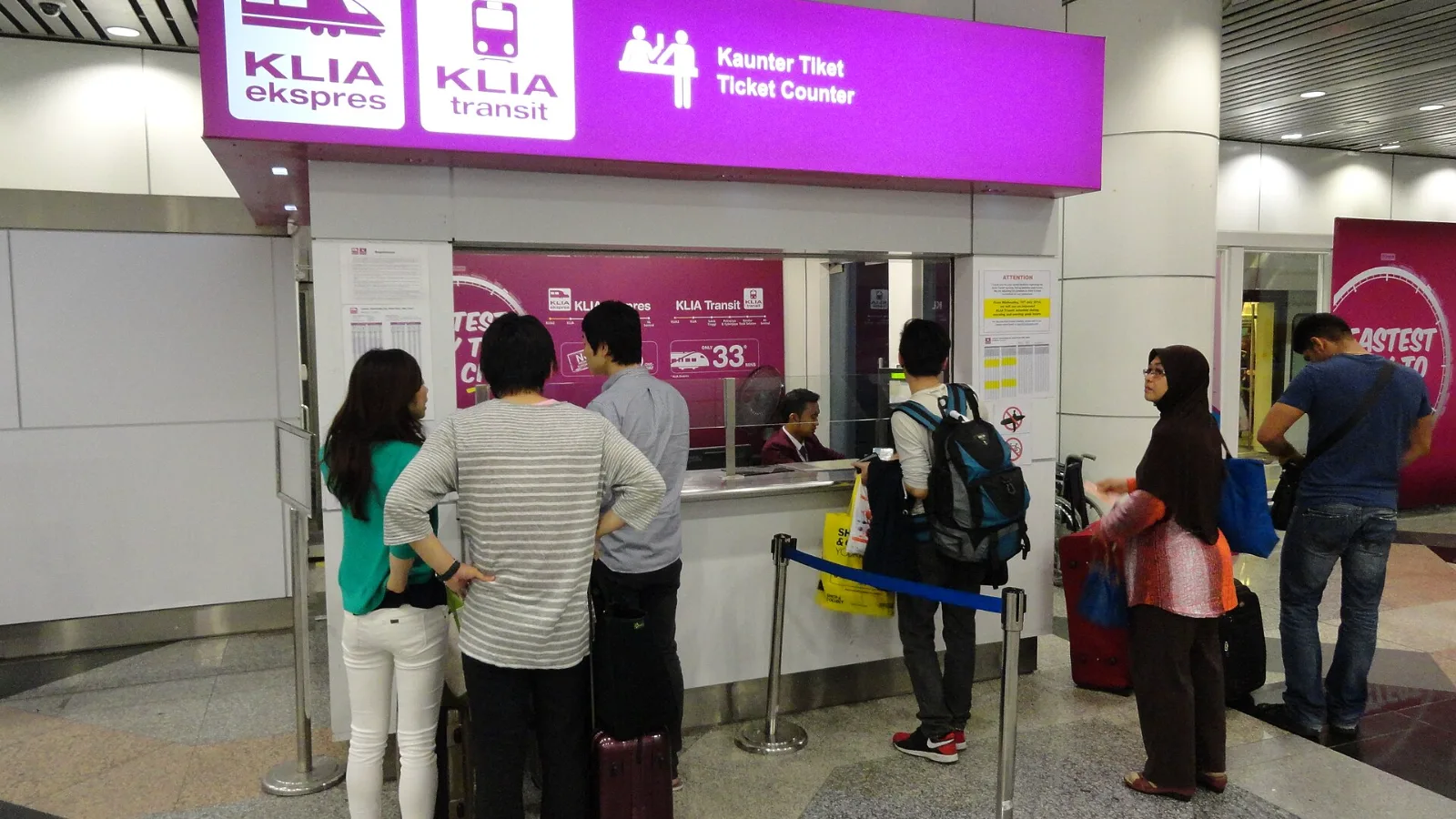
Take the KLIA Ekspres if you are travelling alone or as a pair and your hotel is near KL Sentral or a rail line: it reaches KL Sentral in 28 minutes from Terminal 1 for RM55, less 10% if you buy online. Take a Grab if three or more of you are going to a hotel away from KL Sentral, because one car fare usually costs less than three train tickets and drops you at the door.
 co:sim Team