Back to Blog
You do not need a travel eSIM just to use Google Translate's supported offline functions. Download the languages you need and test text, camera and speech separately before buying data. A co:sim data-only eSIM is useful for tasks your phone cannot complete offline and for other live travel services.
Google Translate is an app for translating languages; an eSIM (embedded SIM) is a digital mobile-service profile. The app does not require that particular connection type. Existing roaming, a local mobile plan or Wi-Fi can provide internet too. The buying decision is whether you need a connection away from Wi-Fi after accounting for what actually works offline.
Google's Android offline-language instructions say downloadable languages can be used without an internet connection. A language without a download icon cannot be downloaded. The iPhone and iPad instructions give the same availability test. Selecting a language in the online list is therefore not proof that it will be available on a flight or in a signal gap.
If your main task is reading short text in a downloaded language pair, start with the offline option. If you need unsupported languages, new downloads or live functions that fail your offline test, budget for mobile data. co:sim's data-only plans provide internet without ordinary voice calls or an SMS number; they do not add languages or features to Google Translate.

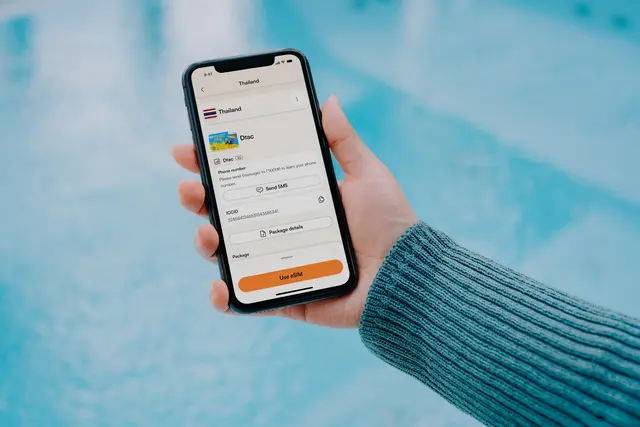
Photo: Shixart1985, CC BY 2.0. Cropped, resized and converted; also adapted as the social-card background.
Yes, supported offline camera translation exists on both platforms. Google's Android camera guide says downloaded languages work for camera translation when disconnected. Its iOS camera guide also tells users to download the languages they want to translate to and from for offline camera use. Buying data solely because you think every camera translation requires internet is unnecessary.
Download the relevant languages, select the intended source and target, then test a real piece of printed text with Wi-Fi and mobile data off. Test the camera inside Translate, not a different app that happens to display a camera icon. A screenshot of an earlier translation is not a test that the next sign will translate offline.
Google warns that small, unclear or stylized text may translate inaccurately. Improve lighting, hold the phone steadily and check the selected languages. Mobile data does not repair blurred text or guarantee a correct translation. For an allergy, medical instruction or other consequential detail, ask a qualified person to confirm instead of treating the app output as certainty.
Do not assume that a downloaded language pack covers every microphone mode. Google's current Android live-translation guide documents offline live translation for specified Pixel models and a limited list of language pairs. That is a narrower capability than the general offline text download list. Check the device and pair listed in the current guide and the download options on your own phone.
The iOS live-translation guide describes listening, conversation, text-only and custom modes, but does not document the same Pixel-specific offline facility for iPhone. Do not transfer an Android promise to iOS, or infer that a feature is offline just because a similarly named setting exists. Test the exact conversation task you intend to use.
For planning, treat a speech task that fails offline as needing a connection until you have resolved it. This is a buying rule based on your own test, not a claim that all speech everywhere requires internet. A co:sim connection can supply data where the selected package works; it cannot make an unsupported device or language pair supported.
Download or update language packs over reliable Wi-Fi before travel. On Android, Google documents Settings → Data usage → Downloaded languages controls for mobile downloads; on iPhone, use Settings → Offline translation to manage saved packs. Menu labels can differ with the app version. Look for the downloaded indicator, then turn off both internet connections and check your intended tasks.
There is no defensible universal “MB per translated minute” allowance in these sources. Instead, observe your phone's app-data counter during representative online use and include maps, messaging, browsing and any uploads in your trip budget. Set downloads and large backups to Wi-Fi if that matches your needs. Leave some room for an unexpected language download or a longer day away from a hotspot.
For a France-only trip, the France data-plan page is one destination example; choose the actual itinerary you need in the catalog. Compare the selected package's allowance and validity against the full stay. If offline tasks and existing roaming already cover your needs, keeping your current setup is a reasonable choice.
Offline Google Translate can replace the internet connection for the specific translation tasks your device and downloaded language pair support. It cannot replace live services elsewhere on the phone, such as fetching a new booking update or accessing information that is not saved locally. Start by downloading the languages, disabling Wi-Fi and mobile data, and checking text, camera and your intended speech mode separately. If those tests cover your needs and you can wait for Wi-Fi for everything else, another plan may be unnecessary. A co:sim data-only eSIM is useful when you want mobile internet for the remaining tasks, not because installing Translate automatically creates a data requirement. Compare that gap with any roaming you already have, and keep the downloaded packs as a backup even if you buy travel data.
More mobile data does not guarantee a better camera translation. Google's camera instructions explicitly warn about unclear, small and stylized text, so the first checks are image clarity and the selected languages. Use better lighting, move closer without cutting off relevant text, and try a clear printed sample. Confirm that the required offline languages are downloaded if you are testing without internet. A co:sim connection can help you access an online task that needs data, but it does not correct an ambiguous menu, add unsupported offline languages or certify the result. If a translation changes a medical, dietary or safety decision, confirm it with a person who can reliably interpret the original. Treat repeated failure of one image differently from failure of every app to connect; those problems need different remedies.
An offline text-language download does not establish that every conversation or microphone feature works offline. Google's Android documentation describes an offline live-translation option for specified Pixel devices and supported language pairs, while the iOS guide does not document that same facility. Check the current platform-specific instructions and the options shown on your exact phone. Test with Wi-Fi and mobile data disabled, using both languages and the mode you expect to need while traveling. If the task fails, check the pack, device support and app version before drawing a conclusion. Plan a working connection for speech tasks that remain unavailable offline, or prepare written phrases as a fallback. Do not buy a larger data package on the assumption that data alone will add an unsupported translation mode.
Mexico
1-day trip pass
From $3.99
Canada
1-day trip pass
From $2.99
Brazil
Valid 7 days
From $3.99
Instant delivery by email · Install before you fly
 eSIM Guides
Choose the account that should hold your social sign-in. Connecting does not move orders or eSIMs; a different unused email keeps the current account separate.
 eSIM Guides
A discontinued shopping offer does not settle an existing card’s status. Compare current Malaysia packages by data, timing and continuation before buying again.
 eSIM Guides
Choose an accessible co:sim support channel before buying: email or optional browser chat. Clarify the selected offer without another app or an unnecessary data purchase.
| Setup | Suitable use | Limitation to check |
|---|
| Downloaded languages only | Tested offline text and camera tasks | Download availability and the exact speech mode |
| Existing roaming | Live tasks already covered by your allowance | Destination, allowance and carrier terms |
| co:sim data-only eSIM | Live translation and other online tasks away from Wi-Fi | Package coverage, validity, phone compatibility |
| Wi-Fi only | Downloads and translations where a hotspot is available | No connection once you leave its range |
Valid 7 days
From $3.99
 co:sim Team