Back to Blog
Gatwick Airport Wi-Fi is free: select Free Gatwick Wi-Fi Vinci Airports, choose the free service and enter a valid email address, following the airport's instructions. Use that connection to check your onward train, then prepare mobile data for the journey; a co:sim UK data-only eSIM, an embedded SIM without a phone number, can cover the mobile-data part of that plan.
Open the Wi-Fi settings on your phone or laptop and find Free Gatwick Wi-Fi Vinci Airports. The official Wi-Fi page says to select “Free Superfast Wi-Fi” and enter a valid email address. Follow the current portal if its design has changed. You do not need to assume that the first paid option on a screen is the only way online.
Gatwick describes its basic Wi-Fi as free and unlimited on that same page. This guide makes no measured-speed promise: the advertised service and your connection in a crowded arrivals hall are different things. Confirm that a new webpage opens before attempting a train booking or a long download. If you have just landed, start with the departure board, accommodation details and a message to anyone expecting you.
Keep a local copy of the hotel address and your route from the destination station. An airport Wi-Fi connection is useful for planning, but it does not follow you through London. If your rail ticket can be downloaded in the operator's app, do that before approaching the gates, then confirm that you can actually open it without starting another login process.
A Wi-Fi icon can appear before the access page has finished. Open a browser, check for the sign-in prompt, and try forgetting and rejoining the verified airport network if the page stays blank. Move to a place with a stronger signal if necessary. Do not complete bookings while trying to walk through arrivals with a trolley.
If you use a VPN or filtering service, briefly pausing it may help the portal appear; restore it after signing in. Never bypass a certificate warning or install an unknown profile simply because a screen promises airport internet. If a portal looks unfamiliar, verify the network name using airport signage or ask staff.
For a nearly empty battery, Gatwick lists free charging points before and after security in both terminals. Find an appropriate point on the airport map and keep your device with you. A working connection is little help if the phone shuts down with the train ticket still on it; retaining a separate booking reference is sensible even when everything works normally.
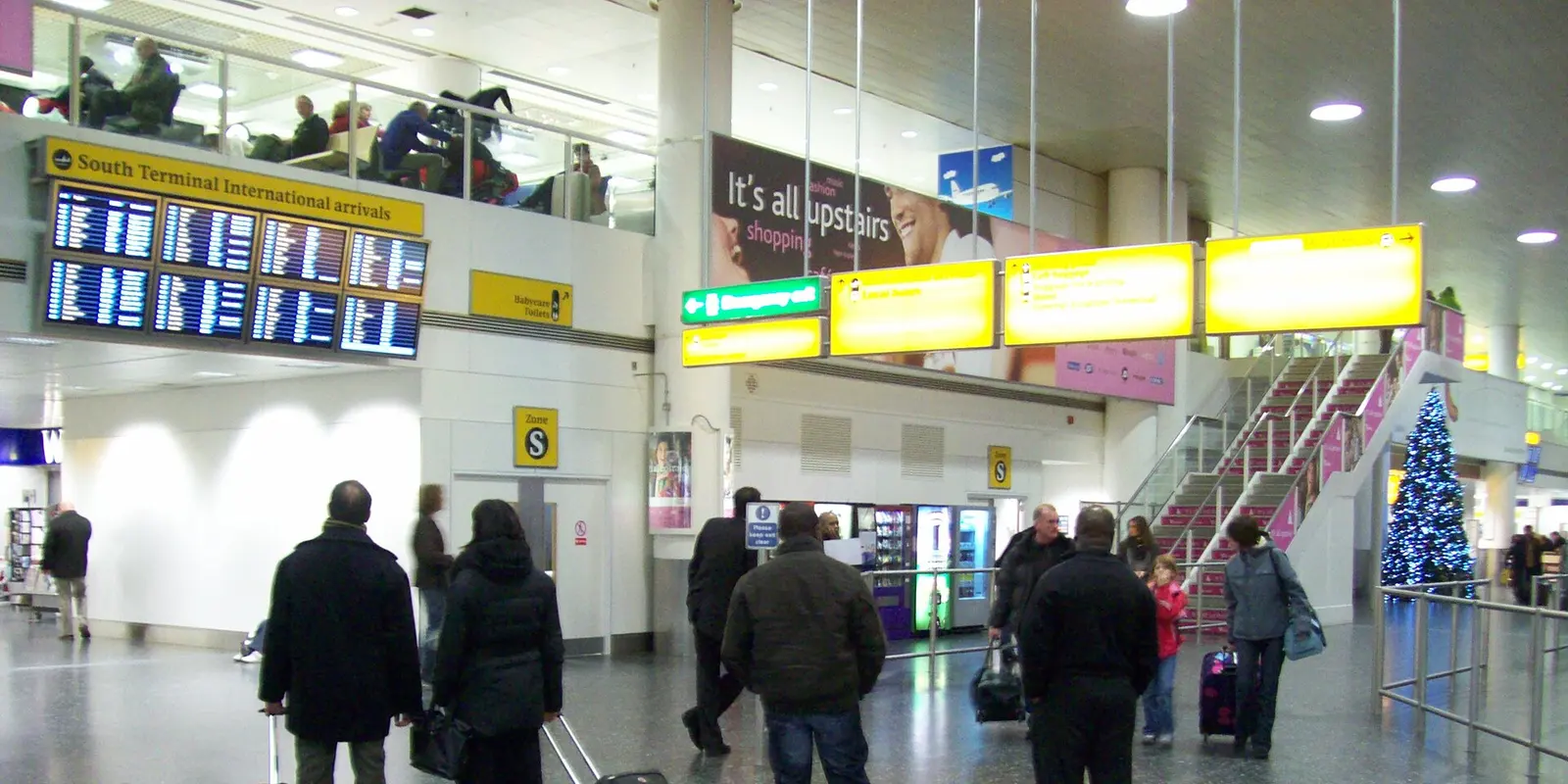
The railway station is at the South Terminal, according to Gatwick's official train page. If you arrive at the North Terminal, follow signs for the free inter-terminal shuttle and continue to the railway station at South. The shuttle between terminals and the train into London are separate parts of the journey, so do not mistake the shuttle destination for your London station.
Before leaving the terminal Wi-Fi, check the live railway departure information. Match the destination, calling points and ticket conditions to your booking. An old screenshot can preserve a reference, but it cannot tell you whether the platform has changed. Give yourself room to handle a delayed bag or a missed connection without purchasing a restrictive departure solely because it looked close to your arrival time.
If you need step-free access, follow the station signs and ask staff for the suitable route with your luggage. The Gatwick Express airport guide describes lifts, escalators and terminal access. Check assistance arrangements with your operator before travel if your journey requires support rather than assuming that a map alone covers your needs.

Start with the accommodation address, not simply the word “London.” The airport's rail guide identifies Gatwick Express to London Victoria, Southern services including Victoria and Clapham Junction, and Thameslink services including London Bridge, Blackfriars, Farringdon and St Pancras International. The best arrival station depends on what follows that train ride.
Gatwick Express can be a straightforward choice for a Victoria-area stay, while a Thameslink destination may avoid a further cross-city transfer for another address. Check your particular service and fare before buying. This is route guidance, not a claim that every train stops at every listed station or that one operator is always cheapest.
Gatwick Express advertises onboard Wi-Fi, but treat it as another connection to join, not an extension of the airport session. Download what you need before boarding and retain mobile data as an option. Neither onboard Wi-Fi nor a mobile plan guarantees an uninterrupted video call all the way into London.
At the ticket gates, present the ticket or payment method appropriate to the journey you actually bought. Keep payment credentials and any downloaded ticket accessible. If you are uncertain about a restriction, ask station staff before boarding; buying a second ticket while offline is a frustrating way to discover that the first one did not match the train.
A short visit focused on messages and walking directions needs a different allowance from a work trip with tethering and cloud uploads. Check the phone's usage by app, switch off automatic photo uploads over mobile data if unnecessary and download maps before leaving home. Avoid choosing a plan from a rigid “data per day” estimate that ignores how you actually use the device.
For family trips, store the accommodation address on more than one phone. A shared connection is convenient until the group splits between a shop and the station platform. Decide who needs independent data and who can use saved maps before buying several plans automatically.
An eSIM is a digital SIM profile installed on a compatible, carrier-unlocked phone. A data-only version provides mobile internet rather than a telephone number. co:sim lists plan-specific allowance, validity, network and start information on the UK product page; read the offer you select before deciding when to install it.
Use stable internet for installation and follow the delivered instructions. Label the new line “UK travel,” then check the line selected for mobile data. If you retain your usual SIM for messages or calls, review its roaming charges separately and disable automatic data switching when you want to keep internet traffic on the travel line.
At Gatwick, apply the plan's roaming settings and test it before leaving the terminal. Switch Wi-Fi off briefly and load a fresh webpage. If it fails, check the selected line and the instructions before contacting support; do not delete the profile as your first troubleshooting step. Save the installation guidance offline so another weak connection does not leave you guessing.
Compare UK data plans FREECheck the free UK eSIM offer and eligibility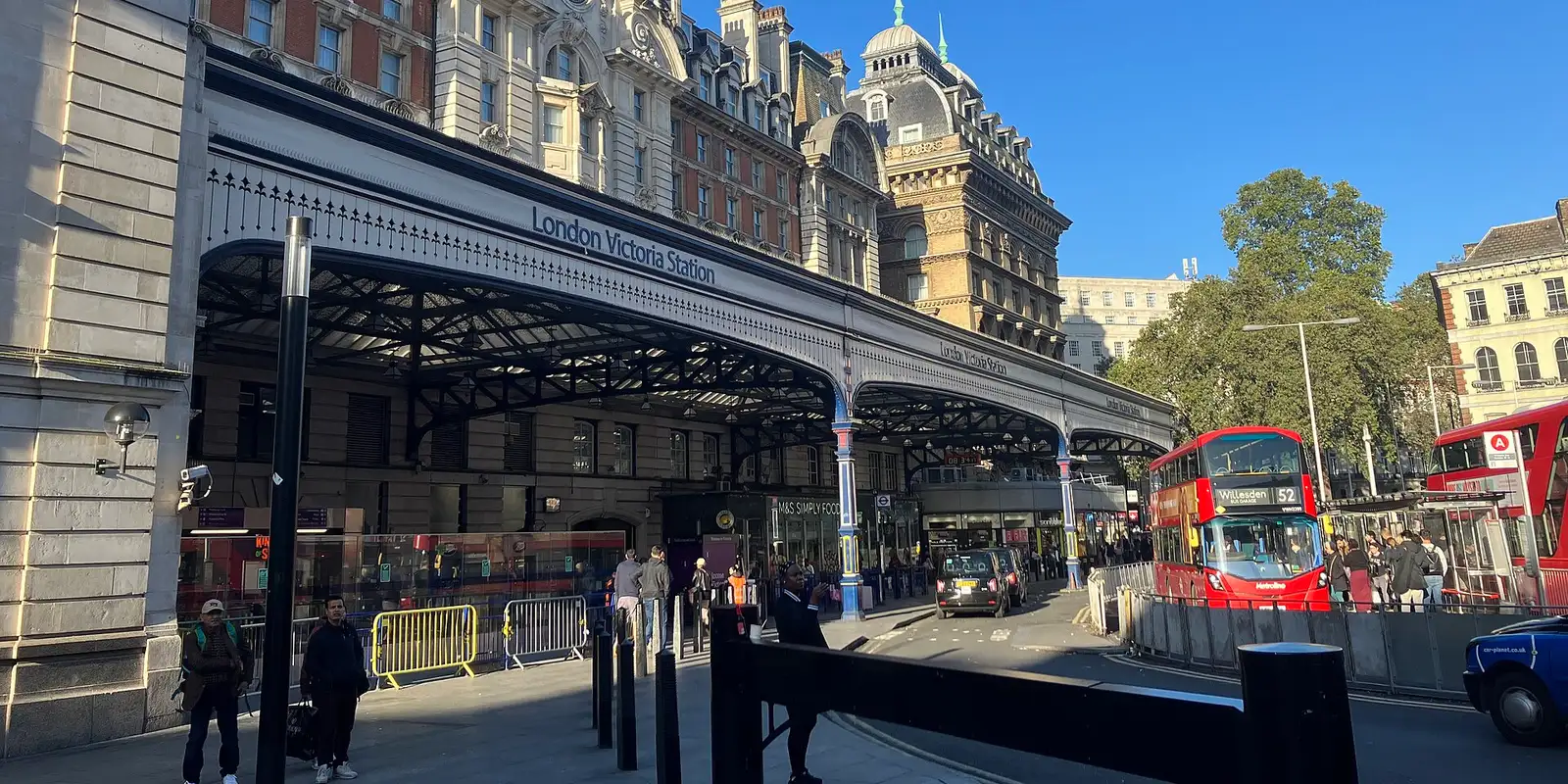
Photo credits: Dbx54 (Public domain); Sunil060902 (CC BY-SA 4.0); DaHuzyBru (CC BY-SA 4.0). Photos cropped and resized.
Gatwick's basic airport Wi-Fi is free, according to the official connection guide. Select Free Gatwick Wi-Fi Vinci Airports, choose the free service and enter a valid email address. The page also describes other options, so seeing an upgrade does not mean the basic service has become paid. Check the portal carefully before selecting anything, and verify that a webpage opens after registration. Free access is useful for retrieving a hotel confirmation, checking a train or contacting your accommodation. It is not a guarantee of a particular speed at your seat and does not provide mobile data after you leave the airport. Save your essential travel details before walking towards the station, especially if your ticket and hotel address are both stored on one phone.
A UK eSIM can provide an independent mobile-data connection after leaving Gatwick, provided the phone and selected plan are compatible and there is reception. A co:sim data-only plan can carry maps, browser traffic and messaging apps, but it does not add a UK phone number or conventional SMS service. Set up accounts that require verification before flying, and keep your usual number available if you need it under your home carrier's terms. Test the travel line with airport Wi-Fi switched off before boarding. Mobile reception can vary along a railway journey, so retain downloaded tickets and the final address offline. Gatwick Express also lists onboard Wi-Fi; that is a separate service and a useful option, rather than a reason to make your entire arrival depend on a continuous connection.
A UK eSIM is useful for a short London visit if you need directions and messages between Wi-Fi stops and your existing roaming package does not already meet that need. It is optional if your home plan includes an adequate UK allowance or you are comfortable planning around Wi-Fi and downloaded information. Before buying a co:sim plan, compare its validity, data allowance and start rule with your actual arrival and departure dates. A small city break and a laptop-heavy work trip can have very different needs even when they last equally long. Check device compatibility and the phone's carrier-lock status before payment. Keep the hotel address and onward route offline regardless of the option you choose, because neither a local data plan nor airport Wi-Fi makes a charged phone and a backup plan unnecessary.
Use co:sim's current UK plan details to choose your data, then check the live train service and keep the final London address within reach.
Instant delivery by email · Install before you fly
 Travel Tips
Take the Keisei Skyliner if your hotel is in Ueno, Asakusa or north-east Tokyo: it reaches Nippori in as little as 36 minutes for ¥2,580. Take the Narita Express if you are staying near Tokyo Station, Shinjuku, Shibuya or Yokohama, because it runs straight there, and the ¥5,200 round-trip ticket brings each leg close to the Skyliner fare.
 Travel Tips
Take bus 86 if you are travelling light, land before mid-evening and are staying near Hoan Kiem Lake: it costs about 45,000 dong and takes 50 to 70 minutes. Take a Grab if there are two or more of you, you have big bags or you land late, because one car to the Old Quarter usually costs about 230,000 to 320,000 dong and drops you at the door.
 Travel Tips
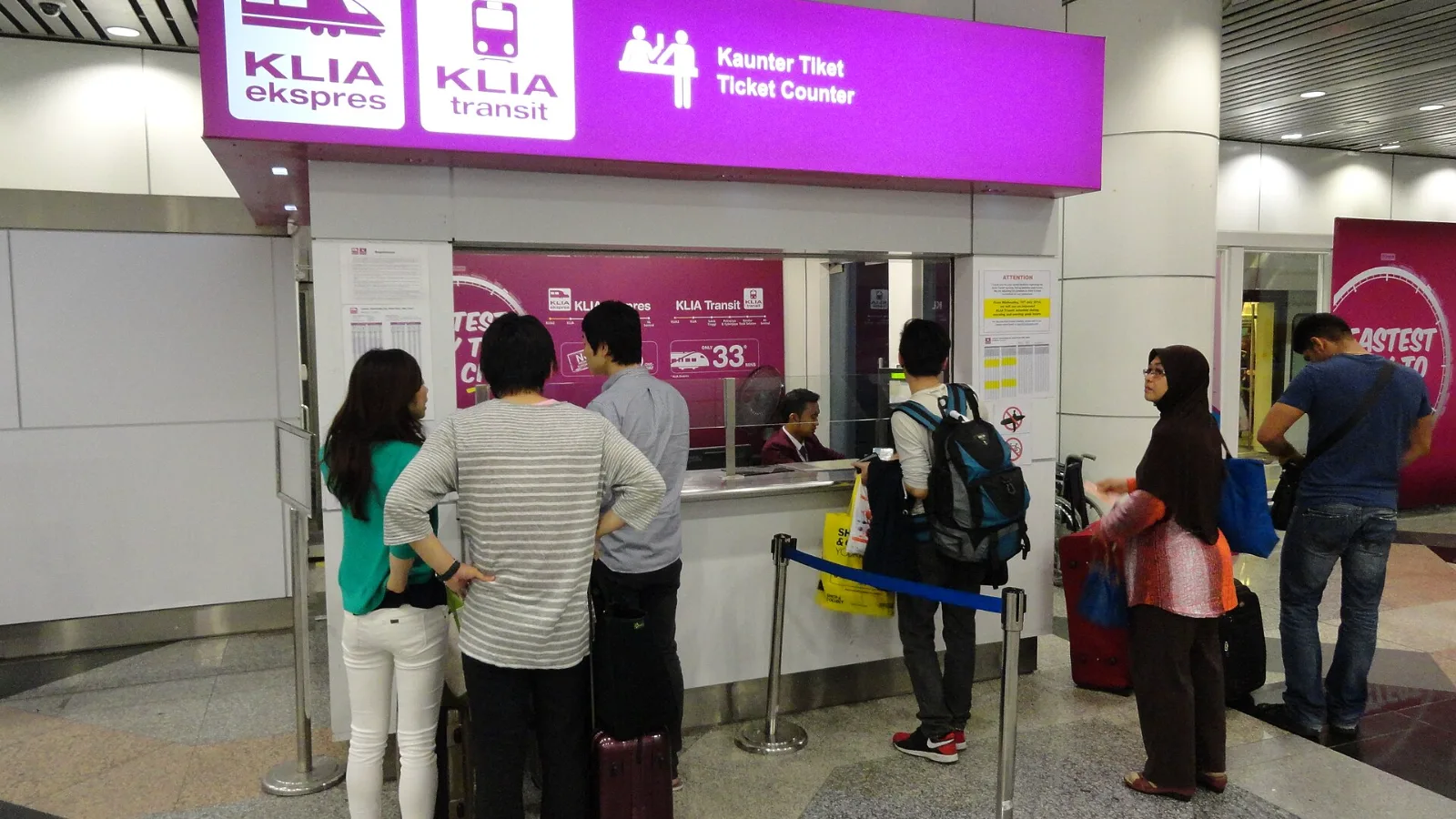
Take the KLIA Ekspres if you are travelling alone or as a pair and your hotel is near KL Sentral or a rail line: it reaches KL Sentral in 28 minutes from Terminal 1 for RM55, less 10% if you buy online. Take a Grab if three or more of you are going to a hotel away from KL Sentral, because one car fare usually costs less than three train tickets and drops you at the door.
| Connection | Good fit | Limitation to check |
|---|
| Gatwick Wi-Fi | Arrival messages, journey planning and ticket downloads | Airport service area and portal access |
| Home-network roaming | An existing plan already includes the UK | Your provider's current allowance and charges |
| co:sim UK eSIM | A separate data line for maps and apps beyond the terminal | Compatible phone, selected plan rules and no phone number |
| Local SIM or eSIM | You want a local service package, potentially including calls | Registration and the actual call/data inclusions |
| Shared hotspot or pocket Wi-Fi | A group staying together with several devices | Battery, plan support and proximity to the shared device |
 co:sim Team