
Back to Blog
Delhi Airport offers free Wi-Fi, but the connection method depends on whether you have an active Indian mobile number. Choose GMR FREE WIFI: an Indian number receives a one-time password, while a traveler without one can get a coupon code at an information desk or Wi-Fi kiosk using a passport. Before you leave for the Metro, a data-only eSIM such as co:sim's India option can keep navigation available beyond the terminal.
The airport's Wi-Fi instructions name the network GMR FREE WIFI. Select it in your phone's Wi-Fi settings, open the browser prompt, enter an active Indian mobile number, and use the one-time password (OTP) sent to that number. If the prompt does not open, try visiting a normal website in a browser tab. Enter the OTP only in the airport's Wi-Fi sign-in flow, not in a message or page sent by an unknown party. The airport describes the service as free and available across its terminals; it does not require you to buy a mobile plan just to use airport Wi-Fi.
This is a practical distinction for arriving visitors. A co:sim India eSIM is data-only and does not provide an Indian voice number or ordinary SMS inbox, so buying it does not create the Indian number required for the OTP route. Travelers who lack an active Indian mobile number should use the airport's documented passport-and-coupon alternative. If you have a working Indian SIM with SMS reception, the OTP path may be quicker; if you do not, head to a desk or kiosk instead of repeatedly entering an overseas number into the Indian-number field.
According to the official Delhi Airport Wi-Fi page, a visitor without an active Indian mobile number can visit an information desk or a self-service Wi-Fi kiosk. Scan your passport at the kiosk, or show it at the desk, then collect a unique coupon code. Enter the KYC ID and coupon code as directed by the airport's screen. Keep the passport with you and use the airport's official desk or kiosk rather than handing it to an unsolicited helper.
The airport calls the resulting Wi-Fi access free and unlimited on its current page. That describes the terminal service, not mobile coverage on the Metro or throughout Delhi. If the kiosk is busy, a travel data line already installed before departure may let you load a map and contact your pickup without waiting for the Wi-Fi sign-in. It is a backup data route, not a way to receive Delhi Airport's Indian-number OTP. If both connections are unavailable, the airport lists a 24/7 help desk and a phone number on the same Wi-Fi page.

For Terminal 3, follow signs to the Airport Express Line, also called the Orange Line, and the IGI Airport Metro station. The airport's Metro guide identifies Terminal 3 as the direct Airport Express access point and New Delhi Railway Station as a central destination. Its map is explicitly for reference, so use the airport and Delhi Metro's current information to confirm the platform and operating hours on your travel day. Do not confuse the Airport Express with the Magenta Line serving Terminal 1.
The airport says Terminal 2 is a short walk or shuttle ride from Terminal 3 for this Metro connection. Terminal 1 has its own Magenta Line station; it is a different transfer decision. The airport's Metro page lays out both lines and lists ticket machines at Terminal 2 and Terminal 3 arrivals. Check the actual terminal on your boarding pass or flight information before following a route copied from another traveler. A route to T3 is not automatically the right route for a T1 arrival.
The Delhi Metro route map shows the Orange Line in the wider network. Open it while you have Wi-Fi, note the station where you intend to change lines, and save your hotel address in both English and its locally used form if you have one. Keep your Metro ticket or payment method easy to reach at the gate. If you are meeting someone at New Delhi Railway Station, specify whether you mean the railway station entrance or the Metro station entrance; a dropped map pin can be too vague in a busy interchange.
Save four things while you are in the terminal: the airport-to-hotel route, your accommodation address, an offline area map, and the current Metro instructions. The airport's Metro guide gives the T3 connection, but it also tells readers to confirm the latest updates and timings. That warning is more useful than relying on a fixed first or last train time repeated in a travel post. If your arrival is late or disrupted, check the official route again before leaving baggage claim.
If your trip continues beyond India, compare the Central and South Asia plans with an India-only plan before checkout. The regional page is an alternative to inspect, not a promise that every country or operator on your route is included. Read the exact country list and plan conditions. For a Delhi-only stay, the India data-only page keeps the choice simpler. In either case, a co:sim eSIM supplies data for maps and internet messaging, not a local telephone number for conventional calls or OTP texts.
Install the travel eSIM on a compatible, unlocked device while you have dependable internet before departure. co:sim emails a QR code after checkout; follow your phone's eSIM prompts and read the plan's network, activation, and billing-start details before you turn on the travel line. Keep your home SIM available if you need texts sent to its number. On arrival, select the travel eSIM for mobile data and test a simple website before you commit to the Metro route.
If you did not prepare before flying, Delhi Airport's free Wi-Fi can help you retrieve the QR email. Without an active Indian number, use the passport and coupon method first. If your phone cannot scan a code displayed on its own screen, display the email on another device or use the manufacturer's manual-entry option if available. Do not delete an installed travel eSIM because the first data test fails; check data-line selection and the plan's roaming instructions first. The important handoff is having a working map and contact method before the airport Wi-Fi session ends.
Yes. The Delhi Airport Wi-Fi instructions provide a separate route for travelers without an active Indian mobile number. Select GMR FREE WIFI, then visit an airport information desk or self-service Wi-Fi kiosk. Scan your passport at the kiosk or show it at the desk to receive the KYC details and a coupon code, and follow the on-screen instructions to connect. An overseas number that cannot receive the airport's Indian-number OTP does not have to block Wi-Fi access. A co:sim India eSIM can provide mobile data after it connects to a supported network, but it is data-only and does not give you an Indian number for that OTP form. Keep your passport handy, use only official airport equipment, and complete your route planning before you head for the Metro, where the terminal Wi-Fi should not be assumed to continue.
The airport's current service page calls its Wi-Fi free and identifies the SSID as GMR FREE WIFI. Travelers with an active Indian mobile number enter that number in the browser prompt and receive an OTP. Travelers without one can use a passport at a self-service kiosk or information desk to obtain a coupon code and KYC ID. The airport says the resulting service is unlimited, but this is an airport-terminal service, not a mobile plan for the road or Metro. Confirm that the network name is exact before entering any information. If the portal does not appear, open a regular web page rather than repeatedly changing settings at random. Mobile data is useful as an independent connection after you leave, but it should not be confused with the airport's Wi-Fi authentication method.
No. The airport's Metro guide describes direct Airport Express, or Orange Line, access for Terminal 3, with Terminal 2 reached by a short walk or shuttle from the T3 side. Terminal 1 uses the Magenta Line station. This terminal distinction matters when you search for "Delhi Airport Metro" because a generic answer may lead you toward the wrong station. From T3, follow signs for IGI Airport Metro and check the current Airport Express route to New Delhi Railway Station or your required interchange. The Delhi Metro route map is a useful overview, while live operating times and station notices should be checked on the day. Save your destination address before leaving airport Wi-Fi and leave extra time if your flight or baggage delivery is delayed.
Start with the places you will actually visit. For a trip confined to Delhi and other Indian stops, compare the co:sim India plans by data allowance, validity, network and activation terms. If another Central or South Asian country is on the itinerary, inspect the regional options and verify that each intended country appears on the precise plan page. Do not infer coverage solely from the regional label. These plans are data-only, so keep a separate way to receive bank or airline SMS sent to your existing number. Install on an unlocked, compatible phone over a reliable connection before travel where possible, then test mobile data in Delhi before leaving the airport. Wi-Fi at Delhi Airport is free, but its Indian-number OTP or passport-coupon process is a separate service and may take time when you have just landed.
Prepare your Metro route on airport Wi-Fi, then choose the plan that matches the countries on your itinerary.
View co:sim India data plansInstant delivery by email · Install before you fly
 Travel Tips
Take the Keisei Skyliner if your hotel is in Ueno, Asakusa or north-east Tokyo: it reaches Nippori in as little as 36 minutes for ¥2,580. Take the Narita Express if you are staying near Tokyo Station, Shinjuku, Shibuya or Yokohama, because it runs straight there, and the ¥5,200 round-trip ticket brings each leg close to the Skyliner fare.
 Travel Tips
Take bus 86 if you are travelling light, land before mid-evening and are staying near Hoan Kiem Lake: it costs about 45,000 dong and takes 50 to 70 minutes. Take a Grab if there are two or more of you, you have big bags or you land late, because one car to the Old Quarter usually costs about 230,000 to 320,000 dong and drops you at the door.
 Travel Tips
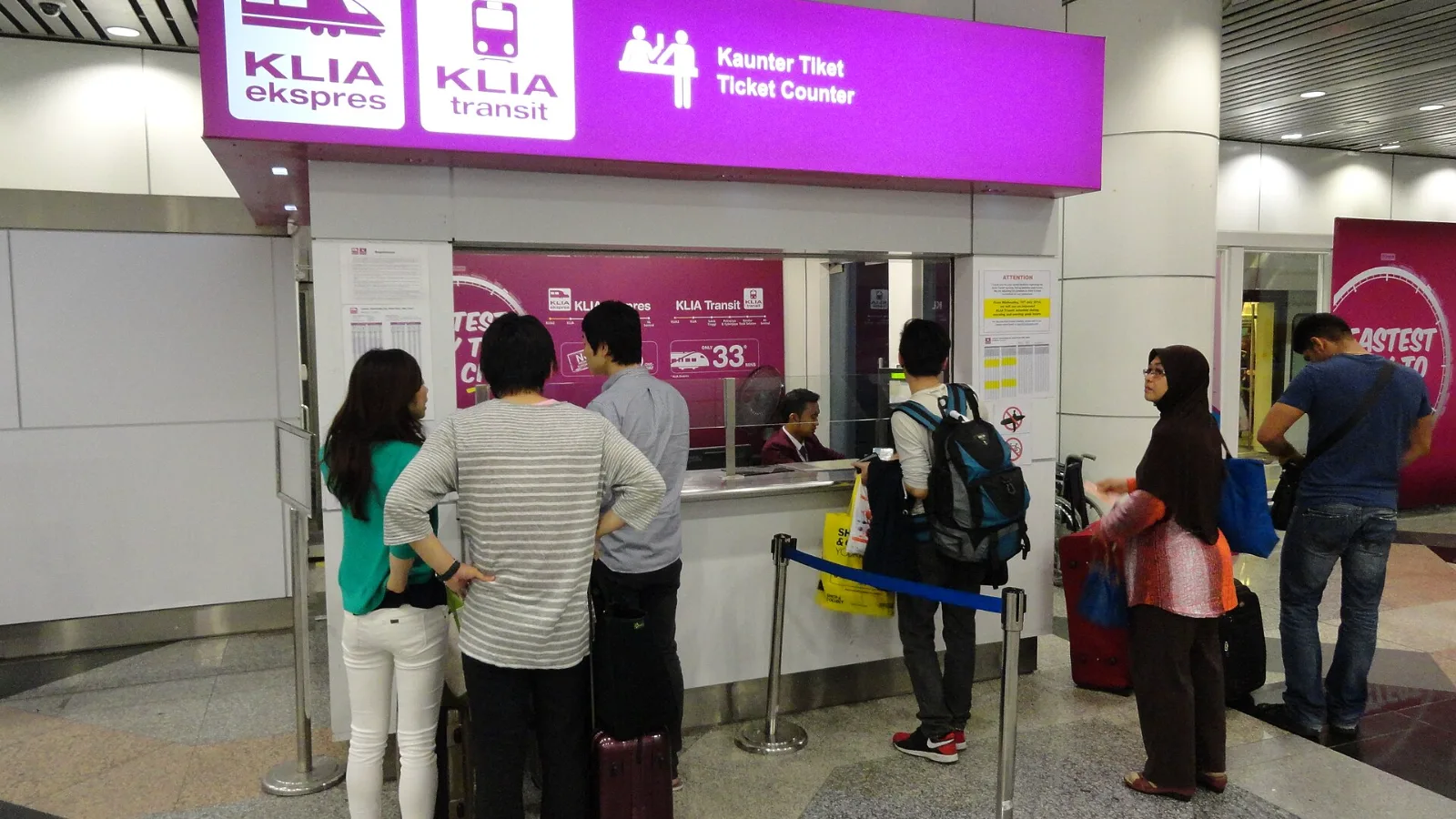
Take the KLIA Ekspres if you are travelling alone or as a pair and your hotel is near KL Sentral or a rail line: it reaches KL Sentral in 28 minutes from Terminal 1 for RM55, less 10% if you buy online. Take a Grab if three or more of you are going to a hotel away from KL Sentral, because one car fare usually costs less than three train tickets and drops you at the door.
 co:sim Team