
Back to Blog
Da Nang Airport Wi-Fi is free: select #Wifi@DanangAirport and press Connect when the airport login window appears. Use it to confirm your hotel and onward transport before leaving the terminal; a co:sim Vietnam data-only eSIM (embedded SIM) is an optional mobile-data connection for the journey beyond the airport.
Da Nang International Airport uses the airport code DAD. Its official Wi-Fi FAQ gives a simple connection sequence: enable Wi-Fi, choose #Wifi@DanangAirport, then press Connect in the pop-up window. The airport's transport guide explicitly describes the terminal Wi-Fi as free.
Connect.The official instructions do not list a passport entry or SMS verification step. That is different from a guarantee that the interface will never change. Follow the screen you actually see, and ask an information desk if a network requests unexpected payment or personal information. This guide makes no claim about a fixed session limit or download speed because the airport FAQ does not establish either.
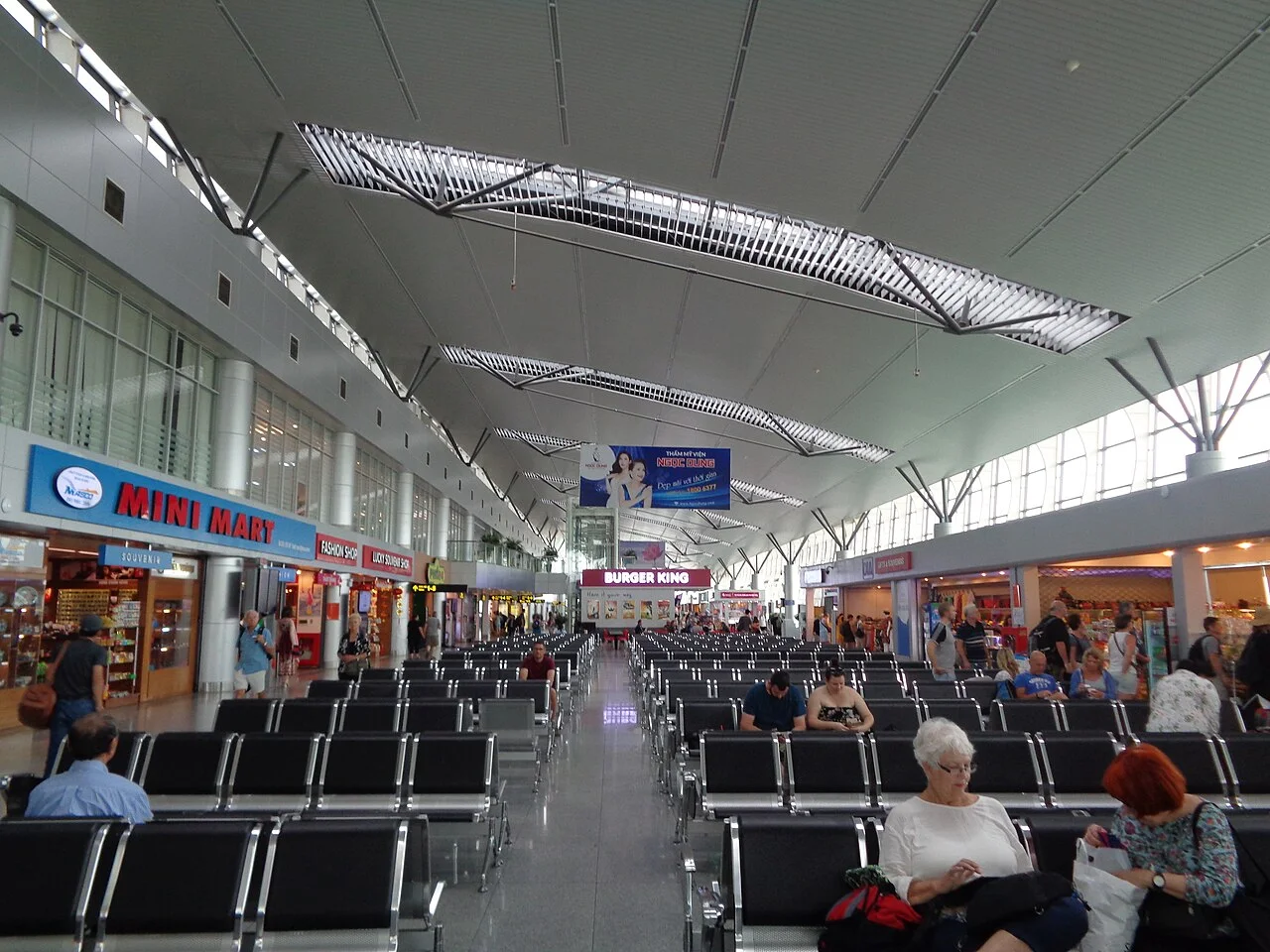
Airport photograph: Eric T Gunther, Wikimedia Commons, CC BY 3.0. The image is an illustration of the terminal, not a current pickup map.
A Wi-Fi symbol only proves your phone joined a wireless network. It does not prove that the airport portal has completed its connection step. Reopen the selected network in settings and look for a sign-in option. If nothing appears, disconnect, reconnect and open an ordinary browser page to prompt the portal.
If you use a VPN or private DNS, these settings can interfere with some captive portals. Temporarily pause them only while completing the airport's login, then restore your preferred protection. Do not install an unfamiliar certificate, device-management profile or app to obtain public Wi-Fi. Ask staff which network is genuine if the name or instructions differ from the airport's published information.
Once connected, check something useful rather than downloading a large file: your accommodation message, your driver's chat or the location of the arrivals exit. If the connection repeatedly fails, switch to an existing mobile-data plan or arrange a taxi through airport staff. Delete no eSIM profile during troubleshooting; removing it can create an unrelated installation problem.
Choose transport by your hotel's actual address, not the phrase “city centre.” A property near the Han River and one near the beach may require different drop-offs. Keep the Vietnamese address and the property name available together. If your booking names a transfer company, follow that company's agreed meeting instructions and confirm the terminal before you leave arrivals.
The airport's official guide to leaving DAD distinguishes these pickup points:
Pillar numbers are wayfinding aids, not permission to cross traffic wherever you like. Use the signed pedestrian route and follow staff directions. An app's live pickup instruction can change, so reconcile it with the airport signs rather than standing at a remembered location.
The airport arrival guide advises using authorized, clearly branded taxis and preparing cash because card payment is not universal. Confirm any airport access charge and the total fare basis before departure. An unsolicited offer inside the hall is not the same as joining an official taxi queue.
Yes. The airport's transport page lists Danabus routes 12 and 06, plus a Hai Van service toward Hoi An. Route 06 runs through Nguyen Van Linh, Dragon Bridge and the coastal roads; route 12 serves a different urban corridor. Choose according to the hotel address and the last walk, not simply whichever bus arrives first.
The published daytime windows are 05:30–19:00 for routes 12 and 06, and 07:30–16:00 for the Hoi An service. Recheck these on the linked airport page and with staff on your travel day. A flight landing within the window does not ensure you will clear arrivals before the final departure. Late arrivals need a confirmed transfer or taxi plan.
Hoi An is an onward destination, not another name for central Da Nang. If your booking is there, tell the driver the full address and confirm the trip before boarding. With heavy bags, young children or an uncertain final stop, a door-to-door transfer may be more practical than optimizing the bus fare.

Airport Wi-Fi is useful for preparation, but it is not a connection you carry into a moving vehicle. Download your map area and screenshot the booking before leaving. A screenshot preserves an address; it cannot update a pickup pin, reply to a driver or retrieve a new hotel message.
The Da Nang tourism portal describes local SIM registration using a passport, portable routers and Wi-Fi in cafés and public venues. This supports several viable choices; it does not establish uninterrupted service on every road. Phone model, the selected plan's networks, location and congestion all affect mobile access.
Check that your exact phone supports eSIM and is carrier-unlocked before buying. Review the Vietnam data-plan page for the selected package's networks, data allowance, billing-start rule and top-up support. Installation and the start of paid validity are different events; follow that package's instructions rather than assuming all plans start on landing.
co:sim sends installation details by email after checkout. Keep the instructions available on another screen if your phone needs to scan a QR code, and save the manual installation information when supplied. Label the travel line clearly. On arrival, select it for mobile data and enable its roaming setting if the instructions require it; avoid enabling chargeable roaming on your home line by accident.
Maps, driver chat and accommodation messages are the priority during the transfer. Delay automatic photo backups, app updates and streaming until a suitable connection is available. A data-only plan cannot receive an ordinary SMS to a new Vietnamese number, so sign in to transport apps and confirm their verification requirements before flying.
The published Da Nang International Airport Wi-Fi instructions do not require a Vietnamese telephone number. The official FAQ tells passengers to select #Wifi@DanangAirport and press Connect in the login window. Follow airport signage and the current screen if the interface differs; do not infer an unlimited session or a promised speed from the short instructions.
A co:sim Vietnam plan is a separate data-only eSIM, so it also does not give you a Vietnamese number for ordinary SMS verification. That distinction matters when signing in to a ride-booking app. Set up the app with an existing reachable number before your flight, and keep the account logged in. Public Wi-Fi can support internet messaging after the portal connects, but it cannot create a phone number or bypass an app's account-verification requirements. Ask airport staff for help if access fails.
Da Nang Airport Wi-Fi can be enough to open a transport app, confirm the destination and place a booking while you remain connected inside the terminal. The weak point is the next step: a driver may move the meeting point or message you after you walk outside. Save the plate, pickup location and hotel address, and follow the app's live instructions alongside airport signs.
A co:sim data-only plan provides a separate mobile-data option for those follow-up messages on a supported phone, but no network can be promised at every spot. An existing roaming plan may serve the same purpose if its terms suit you. If you have no working data outside, use a prearranged transfer with clear meeting instructions or ask staff to direct you to the official taxi stand. Verify the booked vehicle and driver before boarding, and avoid exchanging your booking for an unsolicited ride offer.
No. Da Nang Airport's arrival guide distinguishes Terminal 1, the domestic terminal, from Terminal 2, the international terminal. A hotel transfer, coach or app booking needs the terminal you actually emerge from. Arriving in Vietnam on a connecting itinerary does not by itself prove you will arrive at T2; look at your final flight and the signs in your arrivals hall.
The airport lists buses at pillar 2 for T1 and pillars 7 and 8 for T2. Its transport page separately describes T2 app-car and coach meeting points. These are different instructions for different services, not one universal airport pickup zone. Confirm your operator's meeting location while you have Wi-Fi, then walk by the marked pedestrian route. Keep the accommodation address and booking reference accessible offline. If you cannot find the driver, ask an information desk before moving to another terminal or accepting a replacement ride.
Yes. A physical SIM can be a practical choice in Da Nang if your phone has a compatible SIM slot or cannot use eSIM. The city tourism portal describes prepaid SIM availability and says visitors should present a passport for registration. The airport's arrival guide also lists SIM counters. Check the counter's current opening and location rather than assuming every shop is available at your arrival time.
Ask what the actual package includes: data allowance, validity, local calling or SMS, and any activation procedure. Keep your home SIM safe if you remove it. For an eSIM-capable, unlocked phone, arranging a travel plan before departure can reduce work in arrivals. Either route still needs a compatible device, clear instructions and an understanding of how the purchased plan begins its validity.
Before departure, match your hotel transfer and data setup to your own itinerary. co:sim's current Vietnam packages let you check the plan details before choosing; keep airport Wi-Fi as a useful arrival resource rather than your only way to communicate outside.
Compare Vietnam travel data plansInstant delivery by email · Install before you fly
 Travel Tips
Take the Keisei Skyliner if your hotel is in Ueno, Asakusa or north-east Tokyo: it reaches Nippori in as little as 36 minutes for ¥2,580. Take the Narita Express if you are staying near Tokyo Station, Shinjuku, Shibuya or Yokohama, because it runs straight there, and the ¥5,200 round-trip ticket brings each leg close to the Skyliner fare.
 Travel Tips
Take bus 86 if you are travelling light, land before mid-evening and are staying near Hoan Kiem Lake: it costs about 45,000 dong and takes 50 to 70 minutes. Take a Grab if there are two or more of you, you have big bags or you land late, because one car to the Old Quarter usually costs about 230,000 to 320,000 dong and drops you at the door.
 Travel Tips
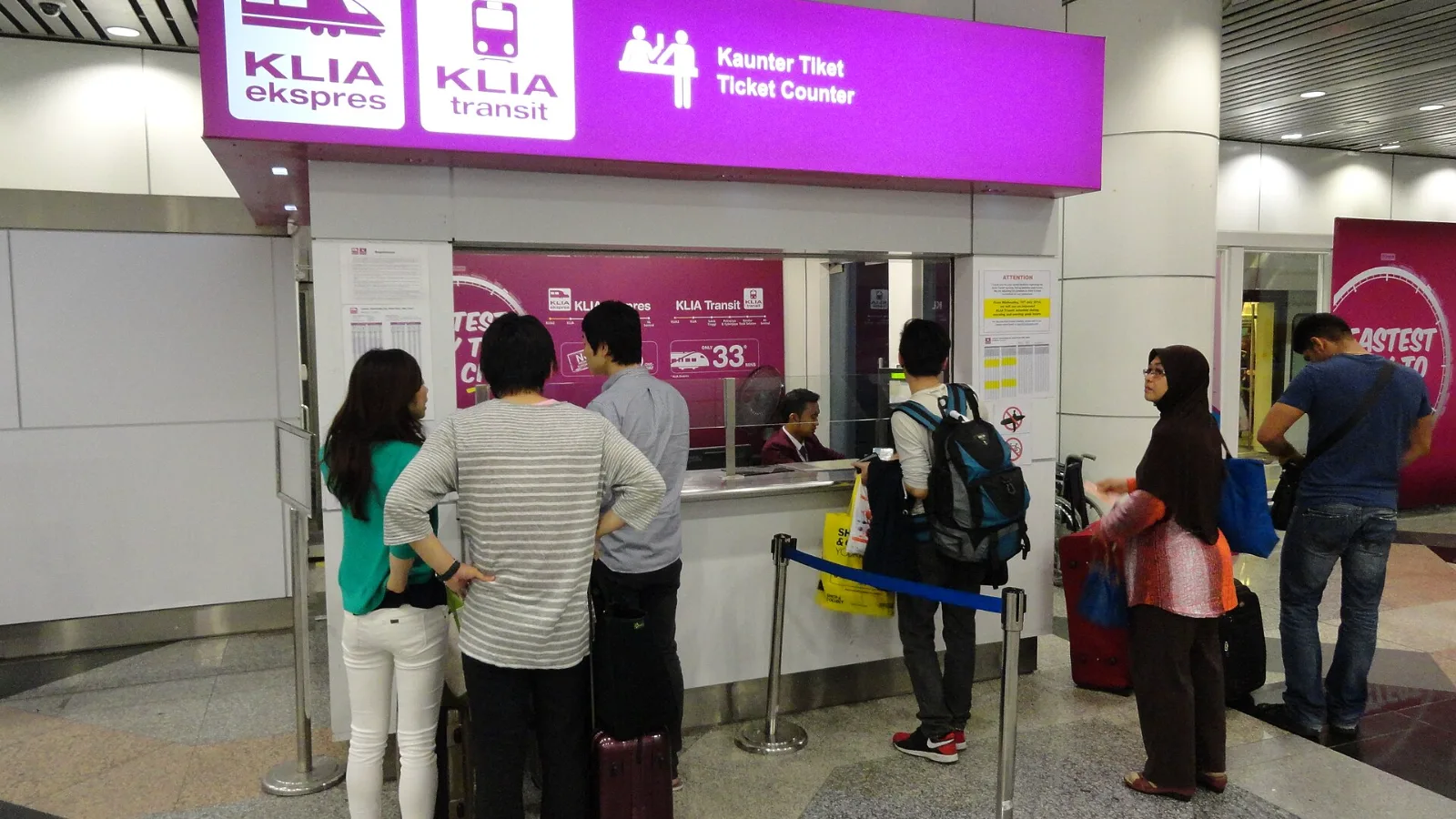
Take the KLIA Ekspres if you are travelling alone or as a pair and your hotel is near KL Sentral or a rail line: it reaches KL Sentral in 28 minutes from Terminal 1 for RM55, less 10% if you buy online. Take a Grab if three or more of you are going to a hotel away from KL Sentral, because one car fare usually costs less than three train tickets and drops you at the door.
| Arrival option | What the airport publishes | What to check before leaving Wi-Fi |
|---|
| Airport taxi | Stands outside arrivals; signage by pillar 3 and the second vehicle lane | Vehicle branding, destination, fare basis and accepted payment |
| App-booked car | At T2, follow pillar 3 signs toward the designated area in front of the glass building in the parking area | The app's current pickup pin, plate and driver |
| Tour coach | T2 coach directions start at pillar 8 | Guide's name, tour company and your booking |
| Public bus | T1 stops at pillar 2; T2 stops at pillars 7 and 8 | Route, operating hours, luggage suitability and final stop |
| Connection | Useful arrival role | Limitation to consider |
|---|
| Terminal Wi-Fi | Read bookings and arrange transport indoors | Availability beyond the terminal is not assured |
| Home-carrier roaming | Use an already configured phone plan | Check your carrier's Vietnam terms and charges |
| Local physical SIM | An option for a phone without eSIM support | Registration, installation and the package's calling terms matter |
| co:sim Vietnam data-only eSIM | Mobile maps and internet messaging on a compatible, unlocked phone | No local telephone number, ordinary voice allowance or SMS service |
| Portable Wi-Fi router | Share one connection among several devices | Another device to charge, carry and return if rented |
 co:sim Team