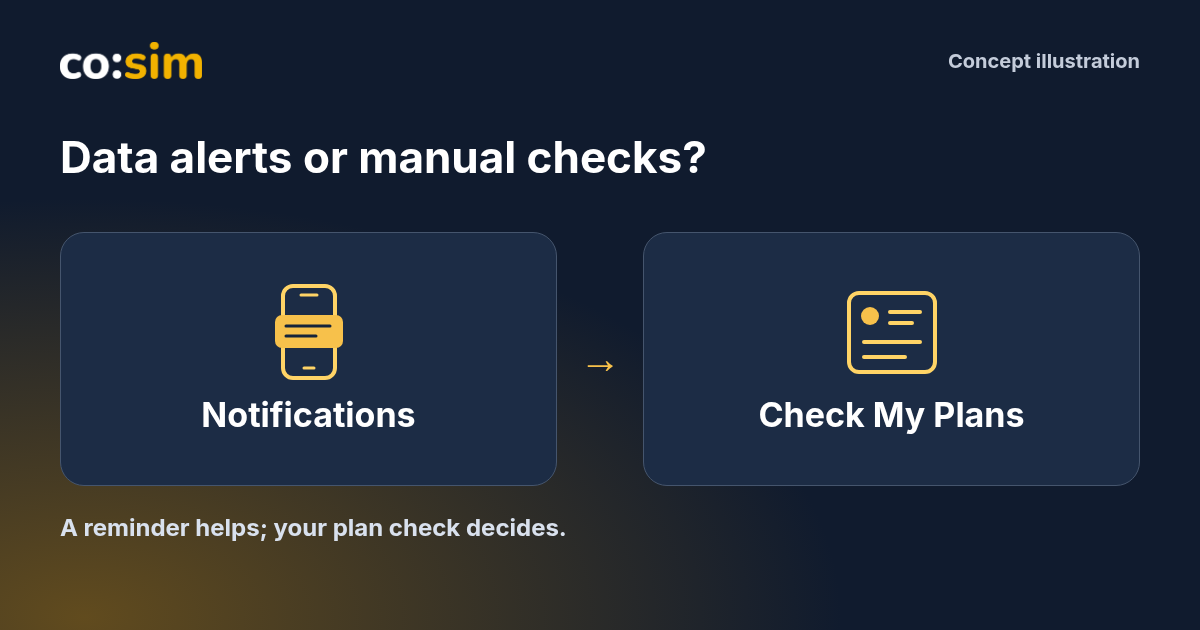
Use co:sim plan notifications as an extra reminder, alongside manual My Plans checks. If 1GB of total data over 7 days fits your Japan trip, the selected is a concrete option to manage this way. Buy for that fit, not for alerts: notifications neither guarantee a live balance nor change the purchased service. No extra gigabytes are needed to enable them, and silence does not prove the plan remains usable.
#What do plan notifications add to a manual check?
A manual check answers a question when you choose to open your account. A plan notification can draw your attention to a change while you are doing something else. That is useful when you might otherwise forget to review an allowance or end date between travel days. It does not remove the need to inspect the actual card before deciding what to do.
Keep three things separate: how much data remains, how long service remains valid, and whether a message reaches your device. A notification changes none of the purchased terms. A low-data notice is a prompt to assess your next need; it is not an instruction to buy more automatically. Likewise, an expiry reminder cannot keep a plan running beyond its terms.
The Notifications API overview explains that web notifications can appear outside an open webpage, subject to permission and browser support. That additional visibility is the convenience you are choosing.
#Why do account access and browser permission both matter?
For co:sim account alerts, use the account associated with your purchased plans and enable notifications on the device you intend to carry. In Account, look for Push Notifications where your browser supports the feature. Review the browser's permission request yourself. Giving a website permission to display messages and identifying which customer's plans it should monitor are different steps.
Permission granted in an anonymous browser is not proof that it is associated with your purchases. Sign in to the intended account and check that its plans are present. Do not create another purchase simply because a new browser cannot identify an existing card. Resolve the account association first.
Treat the browser or installed web app on each device separately. A choice made on a laptop does not establish that the phone in your pocket is ready to display alerts. Equally, do not assume that approving optional analytics cookies grants notification permission. Check each preference for its own purpose, without enabling unnecessary tracking.
WebKit's guidance introduced web push for Home Screen web apps on iOS and iPadOS 16.4 or later. It also explains that permission follows a user's action and that notifications interact with system controls such as Focus. An ordinary browser tab and an installed Home Screen web app are therefore not interchangeable assumptions.
Follow Apple's current web-app guide for your device's Home Screen setup, then open the web app and review the notification option if supported. This does not require finding a separate native app in an app store. It also does not mean every browser, operating-system version or embedded browser supports the same feature.
If the notification option is unavailable, use manual account checks rather than treating the missing control as a fault in your eSIM, the digital SIM profile on the device. Do not reinstall the cellular profile to change a website permission. Device setup and the purchased mobile-data service are separate.
Open the account and inspect the relevant plan before making a purchase. Review remaining data, current status and the service end date together. A message preview is not a fresh quote, proof of coverage or permission to keep using an expired allowance. If you have several cards, confirm which one the notice concerns.
For a concrete example, the selected Japan 1GB/7-day offer described above is a total-data plan with first-connection billing and reload support. It does not advertise renewal support or include a telephone number, carrier calls or standard text messages. Enabling an alert does not add any of those services or change its allowance and duration.
If you still need data, inspect the particular card's available continuation options and their current terms. Reload support does not promise every future package will be suitable, or that an expired card can be revived. You may have enough service already, or an adequate alternative connection; an alert is not a reason to purchase an unnecessary buffer.
#Can you decline alerts and still manage the plan?
Yes. Keep a deliberate checking routine with co:sim if you prefer fewer notifications. Before leaving a reliable connection for a long day, open My Plans and review the cards you expect to use. Repeat after substantial usage or a relevant change to your itinerary. Choose moments that fit your trip rather than relying on an invented universal checking interval.
If permission is blocked, review the site's permission in your browser or system settings if you want to change it. Repeatedly pressing the website's toggle may not reverse an existing browser refusal. Turning notifications off does not cancel the eSIM, pause validity or refund a purchase.
Delivery can depend on account association, device settings, connectivity and the availability of a plan update. Do not expect every threshold to trigger a visible message at an exact instant. Retain access to your account and a practical way to get online before you urgently need to inspect or change service.
Choose the reminders you find useful, then select data for the journey itself.
#Is allowing browser notifications enough to receive my plan alerts?
Browser permission is one requirement, not proof that your purchases are associated with that browser. For co:sim plan alerts, sign in to the account that holds the cards and check that they appear in My Plans. Then review the notification setting on the device you will carry, using a supported browser or web app. An anonymous permission choice cannot by itself establish whose allowance should generate an alert. A laptop's setup also does not establish the phone's permission state. On iPhone and iPad, check the Home Screen web-app conditions described by Apple and WebKit rather than assuming an ordinary tab behaves identically. These steps concern account access and message display, not installation of another cellular profile. If something is missing, keep checking your existing plan manually while resolving it; buying another eSIM would not correct a permission or account-association problem.
#Does receiving no warning mean my data and validity are fine?
No. The absence of a co:sim notification is not a balance reading or a guarantee that service remains available. A message can be affected by permission, account association, device settings, connectivity and when updated plan information becomes available. Before an important connection, inspect the card's remaining data, status and end date in the account instead of interpreting silence as an all-clear. A plan can also reach its validity limit with unused data, so checking only the allowance is insufficient. If a notice appears after circumstances have changed, use it as a reason to review the current record, not as a command to buy the package named in an old context. Alerts can reduce forgotten checks, but they cannot replace your final decision about whether the selected service still meets the trip's needs.
#Should I buy a top-up to enable alerts or keep them working?
Do not buy extra data merely to enable notifications. The selected co:sim Japan example buys 1GB total for 7 days and supports data additions, not renewal. Choose it only if that allowance and duration fit your trip. Notification permission is a message-display choice, while a top-up is a separate purchase for an eligible card. First check whether your remaining service already covers what you need. If another package is justified, inspect that card's offered options, current total, coverage and timing before paying. Receiving a reminder does not create top-up eligibility or revive an expired card. It also does not extend validity, preserve unused data or change the original purchase conditions. You can decline notifications and keep checking My Plans manually. Spend on useful connectivity, rather than buying more as a supposed requirement for account reminders.
 co:sim Team