Back to Blog
The best eSIM for El Salvador in 2026 names the local network and covers your city-to-coast route for the full stay. A co:sim El Salvador plan currently lists Claro (4G). Check your exact lodging and road in the regulator-linked coverage map before buying; a capital-city signal is not evidence for the Pacific coast.
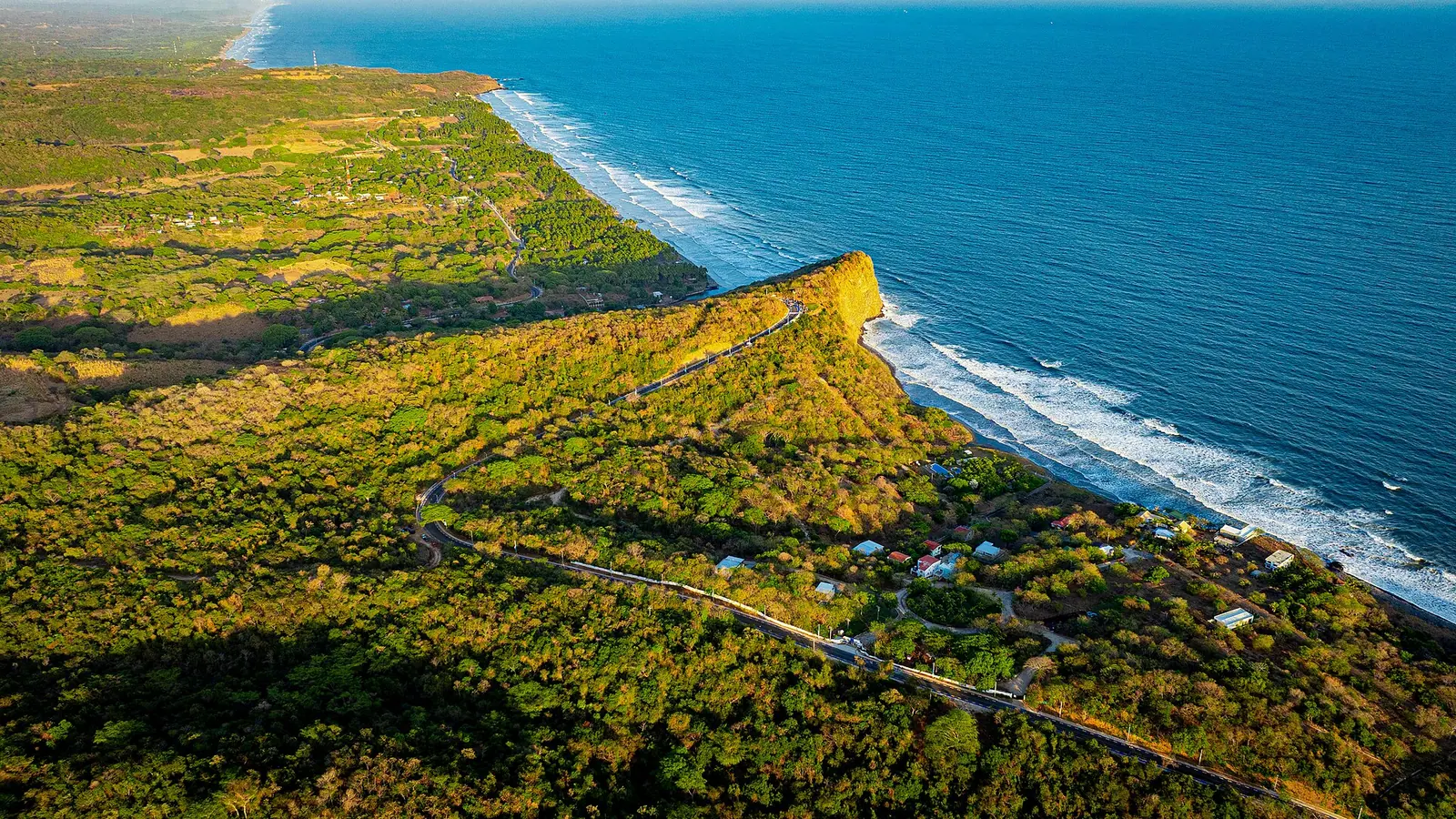
Start with the first two journeys after landing: the transfer to San Salvador and any continuation to the coast. The tourism authority's Surf City guide distinguishes La Libertad beaches such as El Tunco from stops farther along the Pacific route. A plan chosen only for the capital tells you little about a later beach stay. Note the exact lodging address, the road transfer and the departure-day route, then compare each against the network named on the offer. Download the final turn-by-turn directions before you leave a reliable connection.
The live co:sim El Salvador listing currently names Claro (4G). SIGET's cellular coverage directory links Claro's 3G/4G map. The Claro coverage site is a search entry point: enter your lodging address and road there; the homepage alone does not show El Cuco coverage. Compare its operator prediction with nPerf's observed Claro coverage around San Salvador. Neither guarantees reception indoors. Confirm the partner on the exact product at checkout.
Next read the allowance as a real usage rule. A fixed-data plan and a daily “unlimited” plan are not directly comparable if the latter slows after a fair-use threshold. Think about what you will do: maps and messaging, photo uploads, video calls or a shared laptop hotspot. Check your own recent data history rather than trusting an article's universal daily estimate. Compare the validity clock with your flight times, and confirm whether the plan can be topped up before you need it.
| Route and use |
|---|
For a short city stay with maps and messaging, the 1 GB example is a starting point. For a city-to-coast trip with repeated navigation and photos, choose the 5 GB pool if its 30-day validity fits; choose the daily tier only when daily uploads justify a fresh allowance each morning, after reading its reduced-speed terms. A local SIM can be better for a Salvadoran number or staffed help. A data-only travel plan supplies no ordinary calls or SMS. Home roaming may be simpler if your contract includes El Salvador. For the coast, inspect Claro coverage at each stop before buying extra data.

Treat La Libertad and El Cuco as different coastal decisions. The official El Tunco page places that stop on the La Libertad coast; El Cuco is farther east and needs its own address search in the Claro map. Before leaving San Salvador, save the beach lodging address, road turns and return pickup point offline. Start with your phone's recent data usage. Maps and messages differ from photo backup, video calls or a laptop hotspot, which can consume the day's allowance before the return journey.
Validity is a separate decision. A plan with abundant data can still be wrong if it expires before a late arrival, an overnight bus or the trip home. Some plans count from purchase; others count from first network connection. co:sim lists the billing-start rule on each plan page, so read the exact El Salvador offer before installing. If a plan supports top-ups, check how and when they apply. Do not write a guessed price or speed into your budget: the live listing is where current offers belong.
Consider whether you can tolerate a gap. Download a map for the route and save hotel addresses and tickets offline. This is particularly useful when your trip includes beaches, hills and transfers rather than staying in one city. A mobile network is a radio service; terrain, buildings, congestion and the handset can affect real reception even where a marketing map shows coverage.
Treat the San Salvador arrival and Pacific coast as separate connectivity decisions. El Salvador's official Surf City guide places El Tunco on the La Libertad coast. For El Cuco farther east, enter that address and the intermediate road separately at Claro's map entry point, linked by SIGET. Compare the operator map with user measurements where available; neither establishes service inside a particular hotel. The government directory is useful because it points travelers to an operator-specific tool instead of leaving them with a national marketing badge.
Prepare for the specific gaps that would disrupt your trip: a last-mile route to accommodation, an early morning pickup or a trail start. Keep directions in an offline map and save a contact number separately. If communication is business-critical, consider a second independent way to connect rather than assuming two packages on the same partner network create redundancy. A plan listing can disclose its network; it cannot promise a particular signal inside every building or along every road.
Check that your phone supports eSIM and is unlocked. Buy while you have a dependable connection and keep the QR email; co:sim sends installation details within seconds of payment. Uninstalled eSIMs can be refunded within 30 days of purchase, although the install deadline can shorten that window and plans that bill immediately are excluded. Read the plan's billing rule before adding the profile, and label it to distinguish it from your home SIM. Do not remove it merely because it has no local signal before arrival; reinstallation can be restricted.
At the destination, select the travel eSIM as the mobile-data line and follow its data-roaming instructions. You can keep your home line for existing-number calls or SMS if your device supports it, but check home-carrier roaming charges. With Wi-Fi off, load a fresh webpage on the phone before relying on maps or sharing a hotspot. If that fails, inspect the active line, network selection and any plan-specific APN instructions. The data-only browse page is useful if this trip includes another country as well.
Compare El Salvador eSIM plansThe live co:sim El Salvador listing currently names Claro (4G), so start with that network's current information for the precise offer you intend to buy. The label does not guarantee 4G at a particular address or road bend, and another seller's plan need not use Claro. Check your San Salvador lodging, the airport transfer and any road to El Tunco or El Cuco separately. Save the coastal route and accommodation details offline before leaving the city. A phone that works in the capital may behave differently in a concrete building or on a less populated stretch of road. Confirm the partner again at checkout because plan availability can change, and ask support if the offer does not identify its network. For a time-critical arrival, keep an independent contact method rather than relying on a national coverage icon.
An eSIM is convenient if you want mobile data arranged before you arrive and your phone is unlocked and eSIM-compatible. A local prepaid SIM can be better if you need a Salvadoran number, ordinary voice or SMS, or help from a staffed store. Compare the actual offer, not just its format: network, registration, validity, data allowance and where you will use it. A co:sim El Salvador plan is data-only, so apps can call over its internet connection but the plan does not supply a normal phone number. Keep your home SIM active for any existing-number messages if your phone supports dual SIM, while reviewing its roaming charges. If you arrive late or head directly to a coastal town, arranging access before departure may be more convenient than finding a shop. Prices and store hours change, so verify them live.
No. SIGET's official cellular-coverage directory links Claro's 3G/4G map, which helps you inspect El Cuco and the approach road, but it cannot establish service inside one room or on every bend. The co:sim El Salvador listing currently names Claro (4G), so confirm that your exact purchase still does before using that map. Compare the operator's prediction with nPerf user measurements where available; absence of a recent sample is not proof of no signal. Save the beach address, intermediate stops and offline directions while you still have data in San Salvador. At the accommodation, turn Wi-Fi off and load a new page on the selected eSIM line. If it fails, check plan status and data-roaming instructions before treating it as a coverage gap. For a critical pickup or work call, arrange an independent contact method in advance.
Install while you still have reliable internet and access to the order email, but read the particular plan's validity rule first. Receiving a QR code instantly does not prove the paid period starts only after arrival. Some offers start at purchase, while others begin at first connection to a supported network. Keep the QR details safe and label the new line clearly. Once you land, make the travel profile your mobile-data line, apply its roaming instructions and load a new webpage with Wi-Fi off. If the phone has bars but no data, check the selected line and the plan's network or APN guidance before deleting anything. A home SIM can remain available for calls and messages on a dual-SIM phone, subject to your home carrier's own roaming charges.
Instant delivery by email · Install before you fly
 eSIM Guides
povo Data-Only cannot use overseas roaming. Compare a new Voice + Data contract with separate travel eSIM data, and check the actual purchase conditions.
 eSIM Guides
Compare T-Satellite's supported apps, compatible phones and recurring add-on with travel eSIM data. Check which connection your itinerary actually needs.
 eSIM Guides
Check how au's reservation rate stretches an eligible monthly roaming credit, then compare separate travel data and the announced February 2027 changes.
| Example on the live El Salvador listing |
|---|
| Decision point |
|---|
| Short San Salvador stay | 1 GB for 7 days | Fixed data can cover light maps and messaging; check your actual history |
| San Salvador plus coast | 5 GB for 30 days | More room for road navigation and photo uploads over a longer stay |
| Heavy daily use | A 3 GB/day fair-use offer | The fast allowance resets daily; read the current reduced-speed terms |
 co:sim Team