An AI can pay for a co:sim eSIM order when your existing client has a compatible payment capability, the order offers a machine-payment channel, and you explicitly approve that purchase. Choose this route to delegate settlement of a suitable travel-data order; keep human checkout if you want to control the payment yourself.
An eSIM is a digital SIM profile installed on a compatible device. The buying decision here concerns who pays for its data plan. Connecting an assistant to product information, asking it to compare plans, and allowing it to spend are separate permissions.
It is useful when you already trust a payment-capable client, have selected suitable travel data, and want that client to finish an approved purchase without completing browser checkout yourself. You still choose the product and approve its actual terms. A chat app that can recommend a plan does not necessarily have a wallet or permission to use one.
The AI shopping resources explain the available integration surfaces. Stripe’s machine-payment documentation describes the underlying distinction: a merchant returns a payment challenge, and a capable agent presents a payment credential. This differs from asking an assistant for a link and then opening it to pay personally.
Keep human payment when your client lacks the offered capability, you cannot inspect its permissions, or you simply prefer the final payment screen. If your existing connection already meets the trip’s needs, neither payment route creates a reason to buy another plan.
#Which travel-data purchase would you actually approve?
Start with the package, before deciding who pays. The Japan 5GB/30-day offer is a concrete co:sim choice for a traveler whose route and finite data needs fit that package. The November 16, 2026 capture lists 5GB total, with validity starting at first connection. It is not 5GB each day or unlimited data.
The same offer lists top-up support, but an eligible top-up’s quote determines what data and expiry it adds; do not assume automatic renewal or permanent reuse. It includes no telephone number, carrier voice or SMS. Listed networks are KDDI/au, NTT docomo, Rakuten Mobile and SoftBank; that list does not guarantee reception or a particular speed everywhere. Check an unlocked, eSIM-compatible device and every destination you need.
Changing the payment actor adds none of those services. It also does not improve a package that fails your route or usage requirements. Read the current product page and the exact order amount rather than approving a remembered catalog price. This article makes no fixed-price offer.
#What must you approve before the assistant spends?
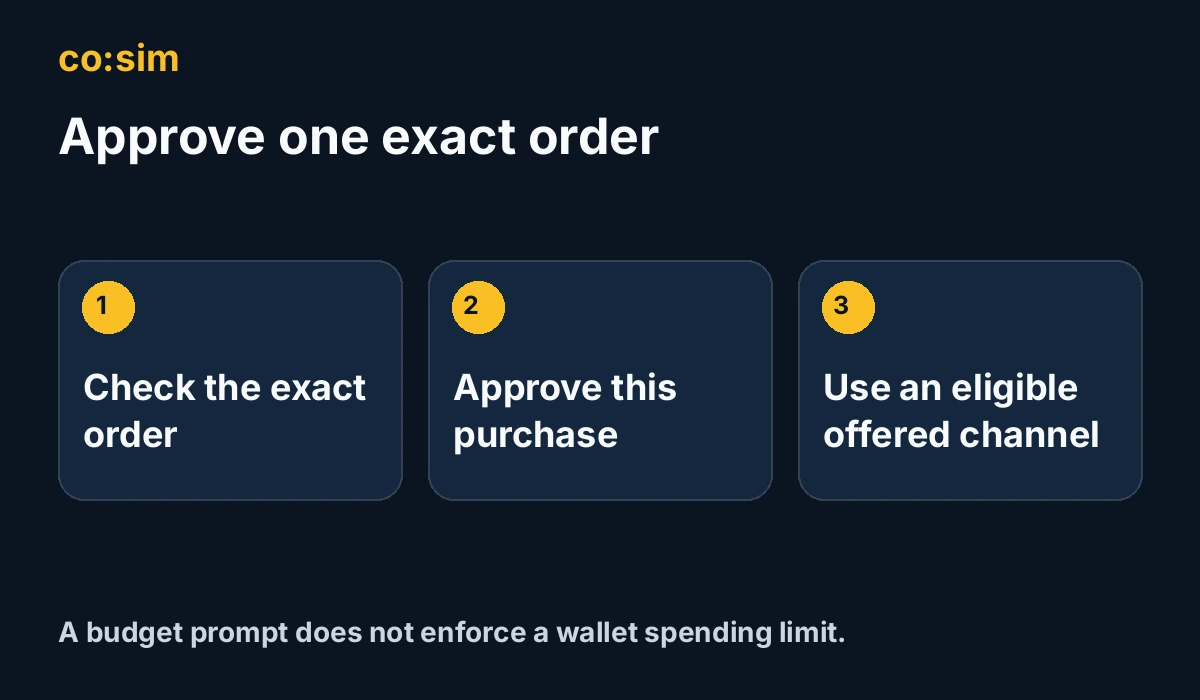
Approve the exact co:sim order: product, destination, allowance, duration, quantity, total and currency, delivery email, billing start, activation conditions and order-specific refund terms. Ask the assistant to show these facts before payment, then give an explicit decision about that purchase. “Find something within my budget” is not the same decision.
The public order contract instructs agents to relay the actual total and refund policy and obtain explicit consent before a machine purchase. That instruction is not evidence that the API independently verifies a human approval message. Check your client’s behavior and payment permissions rather than assuming the merchant can enforce every chat instruction.
For a basket, review every item’s net amount and policy, including whether a refund must cover the whole group. The documented order limit is ten eSIMs total, not a personal spending allowance. A changed product, quantity or total calls for a new approval decision; do not let the assistant substitute a more expensive package silently.
A budget prompt and the merchant’s order ceiling also do different jobs. Neither establishes the limits enforced by your wallet. Stripe’s Shared Payment Token documentation describes scoped credentials with usage and expiration limits. Those controls belong to that credential arrangement; they do not apply automatically to every wallet or create an employer budget dashboard.
Original explanatory illustration, not a checkout screenshot
Use only the order’s returned machinePayment information and the actual challenge. The captured contract describes x402 with USDC on Base and MPP (Machine Payments Protocol) with USDC on Tempo. MPP can additionally offer a Stripe Shared Payment Token (SPT) channel when configured and eligible. A protocol name in an article does not establish availability for your order.
Your existing client must support the offered channel and its requirements. Holding USDC on some other network is not sufficient. An SPT option is conditional, not a promise that any card, Link account or assistant will work. No live token consumption, wallet interoperability, payment, provisioning or end-to-end purchase was tested for this article.
If a paid order omits machinePayment, the contract tells the assistant to share checkoutUrl instead of probing an unadvertised channel. Later refusals need their own interpretation. An amount above the machine ceiling or a coupon excluding machine methods can leave human payment available. An already-processed order needs its original status checked. An expired order needs fresh checkout; under-minimum or free-order refusals do not make an old human link payable.
Check the existing order’s status. A machine endpoint accepting payment is not confirmation of completed fulfillment, and crypto settlement can be asynchronous. paid means payment was received and provisioning is underway; completed is the documented delivered state. The installation QR is emailed after fulfillment, without a fixed delivery-time promise here.
If the result is unclear, reconcile that order before starting another purchase. For needs_review, the contract directs the buyer to support with the order number rather than continued polling. Keep the order reference and the intended delivery inbox accessible. An assistant saying “done” is not an order receipt or proof that installation succeeded.
#Should you choose delegated payment or human checkout?
Choose delegated payment for one approved order when your existing client, actual payment grant and offered channel fit. Choose human checkout when you want to inspect and perform payment yourself. Both decisions start with a suitable co:sim package and its current purchase conditions; the payment route supplies no extra mobile service or blanket refund right.
#What else should you know before allowing AI payment?
#Can an AI buy the wrong plan even if I set a budget?
Yes. A budget can be respected while the wrong destination, allowance or quantity is purchased. For a co:sim order, ask the assistant to present the exact package, total, currency and purchase-specific terms, then approve that particular transaction before it pays. A prompt is an instruction, not proof of a wallet-enforced spending cap. The merchant’s machine-payment bounds are also separate from your personal limit. A scoped payment credential may impose its own amount and expiry controls, but you must inspect the grant your client actually uses. Do not infer those controls from the word “wallet” or from an assistant’s confidence. If the order changes, review the changed details rather than treating your earlier approval as permission for a substitute. Keep human payment when the client cannot make this boundary clear.
#Does AI payment change the data plan or refund conditions?
No. Letting an assistant pay for a co:sim order does not add a phone number, voice, SMS, coverage or validity to the selected package. Its mobile services remain those you bought. Refund eligibility likewise follows the exact order’s policy and installation conditions, not the identity of the payment actor. Before approval, have the assistant relay the returned refund terms and activation note, including every item’s terms and any grouped-refund requirement in a basket. Do not replace them with a general promise that unused data or every uninstalled purchase is refundable. Payment-billed products and other exclusions can matter. Payment acceptance, fulfillment and installation are also separate states, so a payment receipt does not establish that a later refund qualifies. Choose the product first, approve its actual conditions, and keep the original order reference.
#Must I open a wallet to use an assistant for this purchase?
No. You can ask an assistant to compare travel-data offers and leave payment to yourself. Machine payment is an optional choice for a client that already has the required capability and permission; this guide does not recommend opening or funding a wallet just to buy an eSIM. If a paid order offers no machine channel, the documented route is to share its human checkout link. If a later payment attempt is refused, read that specific outcome: some method restrictions permit human payment, while an expired, already-processed, free or under-minimum order needs different handling. Do not switch channels or create another order until an uncertain payment is resolved. Comparing plans, creating an order and paying are separate actions, and you can keep the final financial decision throughout.
 co:sim Team